 Skip to main content
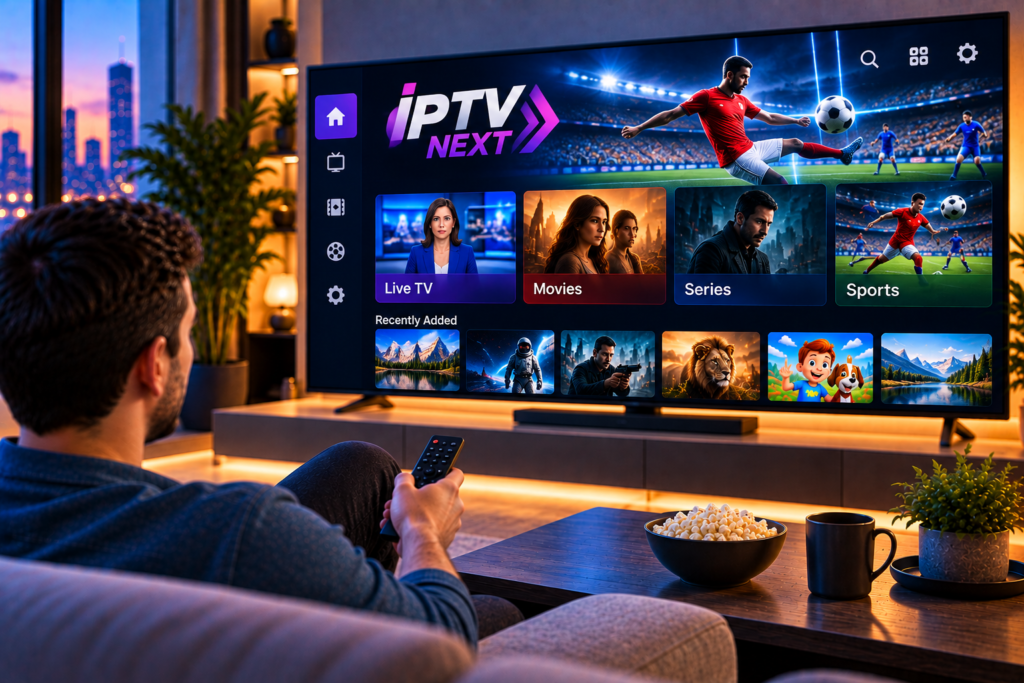
Searching for IPTV Next can be confusing. Several apps carry similar names, and they do very different jobs. This review explains what the app really is, which features matter, how to set it up, and what to expect from your streaming quality in 2026.
Everything is written for beginners, so you can follow along even if this is your first IPTV player.
What Is IPTV Next?
IPTV Next is an IPTV player app for iPhone and iPad. It plays live TV channels, movies, and series from a playlist that you add yourself, using either an Xtream login or an M3U link.
IPTV Next does not include any channels or subscriptions. It is only the player. You need your own IPTV service to supply the content, much like a media player needs a file before it can play anything.
Quick Answer: Is IPTV Next a TV Service?
No. IPTV Next is a playback app. It organizes and displays the content from your provider, so the quality of what you watch depends on that provider, not on the app.
Next IPTV on Google Play Is a Different App
Be careful with the names. The Android listing called Next IPTV is not the same product. Its description says it is made for customers of the cable operator Next Fiber and is intended for phones and tablets, not Android TV boxes or smart TVs.
If you want a general player for your own playlist, always check the developer and description before you install anything.
Key Features of IPTV Next
Based on the current App Store listing, the app offers a practical set of tools:
- Support for Xtream and M3U playlists
- Multiple playlists in one app
- Electronic program guide (EPG) support
- Search across your whole playlist
- Group filters, so you only see what you care about
- Favorites for quick access
- A recently watched list with a resume option
- Subtitle and audio track selection on supported media
- Offline downloads for supported media
- Casting to supported devices and picture-in-picture
The group filters are especially useful. Large playlists can contain thousands of items, and hiding the groups you never watch makes browsing much faster.
Pricing and Device Requirements
The app is free to download and includes a 7-day free trial. After that, a subscription is required. At the time of writing, the Swedish App Store lists a monthly plan at 29 kr and an annual plan at 129 kr. Prices can change, so check the listing before you subscribe.
The app requires iOS 18.6 or later on iPhone and iPadOS 18.6 or later on iPad. Older devices will need a different player.
Keep in mind that this fee covers the app only. Your IPTV subscription is a separate cost.
How to Set Up IPTV Next Step by Step
Step 1: Get Your Playlist Details
Ask your provider for either an M3U link or Xtream details, which are a server address, a username, and a password. Save them in a note on your phone so you can copy and paste them easily.
Step 2: Install the App
Search for “IPTV Next” in the App Store. Because similar names exist, check the developer name and description before you download.
Step 3: Add Your Playlist
Open the app and choose to add a playlist. Select Xtream or M3U, paste your details, and save.
Step 4: Let the Content Load
The first sync can take a minute or two, especially with large playlists. Keep the app open until the channels and categories appear.
Step 5: Filter and Favorite
Hide the groups you do not need and mark your favorite channels. This small step makes the app feel much faster in daily use.
If you want to see how setup works on other devices and players, our IPTV installation instructions walk through the process in plain language.

M3U or Xtream: Which Should You Use?
An M3U playlist is a single link that contains all channels and categories. It is easy to paste, but long links are simple to mistype.
Xtream uses a server address, a username, and a password. It usually gives cleaner categories and a more reliable program guide.
If your provider offers both, try Xtream first.
Choosing an IPTV Provider to Use With IPTV Next
Because the app only plays what you give it, your provider decides most of your experience. These points matter most:
- Stable servers that hold up during live sports
- HD, FHD, and 4K options
- Swedish and Nordic channels alongside international ones
- An accurate program guide
- Responsive support
The Nordic market has many options, for example Viking IPTV, so compare channel lists and device support instead of choosing on price alone. Also, use legitimate services and respect copyright law. The app itself states that it does not endorse streaming copyrighted material without permission.
Tips for Smooth Streaming
Good habits make a bigger difference than any app setting:
- Aim for roughly 8 to 10 Mbps for HD and about 25 Mbps for 4K.
- Use the 5 GHz Wi-Fi band and sit close to your router.
- Close heavy apps and pause large downloads while you watch.
- Keep iOS and the app updated.
- Restart your router once a week.
Common Problems and Fixes
The Playlist Will Not Load
Check for extra spaces in the link or username. Confirm that your subscription is active, then save the playlist again and restart the app.
Channels Buffer or Freeze
Test your internet speed first. Switch to a stronger Wi-Fi band, or try a different channel to see whether the issue is with one stream or everything.
The Program Guide Is Empty
Some providers use a separate EPG source. Ask your provider whether one is included with your subscription.
Still stuck? Our IPTV FAQ answers many of the questions new users ask most often.
IPTV Next Pros and Cons
Pros
- A clear feature set with Xtream and M3U support
- Offline downloads, casting, and picture-in-picture
- A free trial before you pay
Cons
- Built for Apple devices, so it will not suit every household
- Requires a recent version of iOS
- No content included
- Few public ratings so far, so independent reviews are limited
Final Verdict
IPTV Next is a solid choice if you want a simple, modern player on your iPhone or iPad and already have a playlist. Its filters, resume feature, and casting support make daily viewing comfortable.
It is not a complete TV solution on its own. Pair it with a reliable provider and a stable connection, and it can serve you well.
Frequently Asked Questions
What is IPTV Next used for?
It plays live TV, movies, and series from your own Xtream or M3U playlist on iPhone and iPad.
Does IPTV Next include channels?
No. You must add a playlist from an IPTV subscription.
Is IPTV Next free?
It offers a 7-day free trial, then requires a subscription.
Is IPTV Next the same as Next IPTV on Google Play?
No. The Android app with a similar name is made for Next Fiber customers and is intended for phones and tablets.
Why is my IPTV Next playlist not loading?
The usual causes are a mistyped link, an expired subscription, or a weak connection. Re-saving the playlist and restarting the app often solves it.
Final Thoughts
A good player is only half of the experience, because the other half is the service behind it. If you want stable HD, FHD, and 4K streaming with Swedish and international channels, take a look at the packages from Monster IPTV. Setup is easy, and it works with popular IPTV apps across your devices.
