 Skip to main content
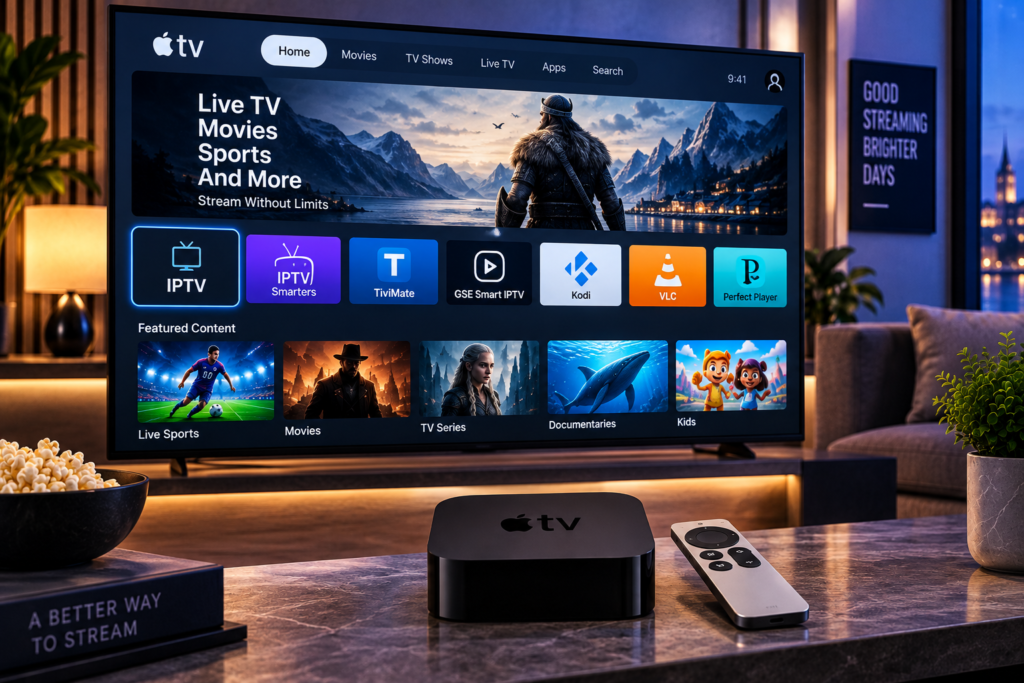
Finding a reliable free iptv player can make watching live television, sports, movies, and series much easier. The player is the application that organizes and displays your IPTV content, while the actual channels and streaming access normally come from a separate IPTV provider.
That distinction is important. Downloading a free player does not automatically give you television channels. You usually need an M3U playlist, Xtream Codes login, or another supported source before anything appears inside the application.
In 2026, viewers can choose from simple media players, full television interfaces, open-source software, and free versions of premium IPTV apps. The best option depends on your device, whether you need an Electronic Program Guide, and how much control you want over playlists and channel organization.
What Is a Free IPTV Player?
A free IPTV player is software that can load and play IPTV streams without requiring an initial payment for basic use.
Depending on the application, it may support live TV, movies, series, channel groups, favorites, subtitles, EPG information, multiple playlists, and external video players.
Some applications are completely free. Others use a free tier with advertisements or reserve certain functions for a paid version. This is why it is worth checking which features are actually available before spending time setting up a large playlist.
A player and an IPTV subscription serve different purposes.
The player displays the content.
The IPTV service provides access to the content.
Keeping those roles separate makes it much easier to compare apps properly.
Quick Comparison of the Best Free IPTV Player Options
For most users, these are the main types of free or free tier players worth considering in 2026.
| Player Type | Best For | Main Strength |
|---|---|---|
| VLC | Simple playback | Easy M3U and stream testing |
| Kodi | Advanced users | Extensive customization |
| Televizo | Android devices | TV focused interface |
| iMPlayer | Modern IPTV use | Organized viewing experience |
| Open source players | Privacy focused users | Transparent development |
| Basic Smart TV players | Television users | Simple remote control navigation |
There is no single winner for every device. A Windows user may prefer VLC, while someone watching every evening on Android TV may want a dedicated television interface.
VLC: Best for Simple IPTV Playback
VLC remains one of the easiest choices when you want to open an M3U playlist or test an individual IPTV stream.
The interface is familiar, it works across major desktop platforms, and it does not require a complicated television-style setup. For beginners, this makes VLC useful for checking whether a playlist or stream works before troubleshooting another app.
Its biggest limitation is the viewing experience.
VLC behaves more like a general media player than a complete television platform. Users who want rich EPG information, polished channel categories, large favorite lists, or a remote-friendly TV interface may prefer a dedicated IPTV application.
For straightforward playback, however, simplicity is often an advantage.
Kodi: Best for Customization
Kodi is better suited to viewers who want more control over their media setup.
It can function as a broader entertainment center rather than only an IPTV application. With the appropriate configuration, users can organize television and other media within one interface.
The tradeoff is setup.
Kodi offers many options, which can feel complicated if your only goal is to enter IPTV credentials and start watching immediately. Users comfortable adjusting settings and organizing their own media environment may appreciate that flexibility.
For beginners who want the fewest possible steps, a dedicated IPTV player is normally easier.
Televizo: A Practical Option for Android Devices
Android TV, Google TV, Android phones, tablets, and compatible television devices have a wide selection of IPTV players.
Televizo is one option commonly discussed among users looking for a free tier. Apps in this category are more focused on the traditional television experience than VLC because they are designed around playlists, channels, favorites, and program information.
Free tiers can have limitations, advertisements, or optional premium upgrades. Those conditions can also change with future app updates.
Before committing to any app, add your own playlist and test navigation, EPG loading, channel changes, and video playback on the device you actually plan to use.

iMPlayer and Other Free Tier IPTV Apps
iMPlayer is another name that regularly appears in discussions about IPTV players.
The advantage of this type of application is its focus on IPTV rather than general video playback. A television-focused interface can make a large playlist much easier to navigate.
Other community-recommended players also appear regularly, including OWNtv and open-source projects. Availability, supported platforms, and free feature limits can change, so an app should be evaluated on its current version rather than an old recommendation.
The best approach is simple: install two or three suitable players, use the same playlist in each, and compare them on your own device.
What Features Should a Free IPTV Player Have?
The number of available apps matters less than choosing the right features.
M3U Playlist Support
M3U is one of the most common formats used to organize IPTV streams.
A compatible player can load the playlist and display the included channels. Some applications also support several playlists, which can be useful when you manage different content sources.
Xtream Codes Support
Xtream Codes login normally uses a server address, username, and password.
Many viewers find this method easier to organize because compatible applications can separate live TV, movies, series, and categories automatically when those resources are supplied by the service.
EPG Support
EPG stands for Electronic Program Guide.
It displays information about what is currently playing and what comes next. A player without a reliable guide can become frustrating when hundreds of channels are loaded.
EPG support is therefore one of the first features worth testing.
Favorites and Search
A huge channel library is difficult to use without organization.
Favorites allow you to create a smaller personal channel list. Search is equally important when the playlist contains channels from several countries or categories.
External Player Support
Some IPTV apps let you send a stream to another video player.
This can help when a channel has playback problems with the application’s built-in video engine.
How to Set Up a Free IPTV Player
The exact steps depend on the application, but the basic process is similar.
First, install the player from a trusted source. Open the application and look for an option such as Add Playlist, Add User, M3U URL, or Xtream Codes.
Enter the credentials supplied by your legitimate IPTV source. Allow the application to load the playlist, then check the live channel categories and EPG.
For users who have not configured IPTV before, these IPTV installation instructions provide useful background on the setup process across compatible devices.
Never publish your private playlist URL, username, or password. IPTV credentials may provide direct access to your account.
Free IPTV Player Versus Free IPTV Channels
These terms are often confused.
A free player is simply the software used for playback. It does not necessarily provide free channels.
This is similar to a web browser. Installing a browser gives you the tool for opening websites, but the browser does not own the websites you visit.
Likewise, an IPTV player can organize an M3U playlist or account, but the underlying streams come from somewhere else.
This distinction also matters when considering content rights. A legitimate player can be used with authorized or unauthorized sources. The player itself does not determine whether a particular channel has permission to be distributed.
Choosing a Player for Smart TV
Smart TV users should prioritize navigation.
An app that feels comfortable with a touchscreen may be frustrating when controlled with a television remote. Look for large menus, quick channel switching, simple favorites, readable EPG information, and an interface that works naturally from the sofa.
Samsung, LG, Android TV, Google TV, and other platforms do not necessarily support the same applications.
Always confirm compatibility with your television before creating a complicated setup.
Choosing a Player for Sports
Live sports put different demands on a player.
Fast channel switching is useful when moving between matches. Hardware decoding can help with demanding video formats. A stable playback engine is also important for HD, FHD, and 4K streams.
However, the player cannot fix every buffering problem.
Streaming quality also depends on the source, server performance, internet connection, WiFi quality, bitrate, and device.
If Swedish channels and sports are important to you, reviewing the available IPTV channel selection for Sweden can help separate player choice from content availability.
Free IPTV Players and Advertisements
Free software needs a way to fund development.
Some players use advertisements, while others offer optional purchases or premium versions. Open source projects may instead rely on community contributors or donations.
Ads are not automatically a problem, but excessive interruptions can make television viewing frustrating.
Consider how often advertisements appear, whether they interrupt playback, which features require payment, and whether the app clearly explains its privacy practices.
A free application that constantly interrupts viewing may provide less value than another player with fewer features but a cleaner experience.
Privacy and Security When Choosing a Player
IPTV applications may receive sensitive account information, including playlist addresses and login credentials.
Use applications from trusted developers and official distribution sources whenever possible. Check the app publisher before installing similarly named software.
Be cautious with random APK files posted on forums or file-sharing websites. Modified applications can introduce security risks that have nothing to do with IPTV itself.
Also consider app permissions. A media player should have a reasonable explanation for the data or device access it requests.
Should You Compare Different IPTV Services Too?
Yes. A good player cannot compensate for a poor stream source.
If every channel freezes across several different applications, the player may not be the problem. Stream stability, server capacity, routing, and source quality can all affect playback.
When comparing services, use the same device and player so the test remains fair.
Swedish viewers researching alternative services may also encounter JA IPTV. Regardless of the service name, apply the same standards to each option, including stability, channel relevance, EPG quality, device compatibility, support, and content rights.
Common Free IPTV Player Problems
The Playlist Will Not Load
Check the M3U URL carefully. A missing character or accidental space can stop the playlist from loading.
If possible, test the same credentials in another compatible player. This helps identify whether the issue comes from the application or the playlist.
The EPG Is Empty
Refresh the program guide and confirm that EPG information is actually supplied.
Some players need a separate XMLTV source, while others can obtain guide data through the IPTV login.
Video Freezes or Buffers
Try several channels first.
If only one stream has problems, the source may be responsible. If every channel buffers, check your connection, WiFi signal, background downloads, and device performance.
Audio Works but Video Does Not
This can indicate a decoding issue.
Trying another built-in playback engine or a compatible external player may help determine whether the video format is causing the problem.
FAQ About Free IPTV Players
What Is the Best Free IPTV Player in 2026?
There is no single best app for everyone. VLC is useful for simple playback, Kodi suits users who want customization, while dedicated IPTV apps can provide a more television-focused experience on Android and Smart TV devices.
Does a Free IPTV Player Include Channels?
Usually not. Most IPTV players only display playlists or services added by the user.
Can I Use an M3U Playlist With a Free Player?
Yes, many IPTV and general media players support M3U playlists. Compatibility depends on the individual application.
Is a Free IPTV Player Legal?
IPTV player software is simply a playback tool. Legality depends on the content source and whether the required distribution rights exist.
Is a Paid IPTV Player Better Than a Free One?
Not always. Paid versions may offer additional features, fewer ads, more customization, or better account management, but many users only need the basic features available in a free option.
Which Free IPTV Player Should You Choose?
Start with your device rather than the longest feature list. VLC makes sense for simple desktop playback, Kodi suits users who enjoy customization, and dedicated IPTV applications are often more comfortable for television viewing. Test EPG performance, navigation, favorites, M3U or Xtream Codes compatibility, and stream playback before deciding which interface you prefer. If you also need an IPTV service designed around Swedish channels, sports, movies, series, and multiple devices, you can review the available options at Monster IPTV.
