 Skip to main content
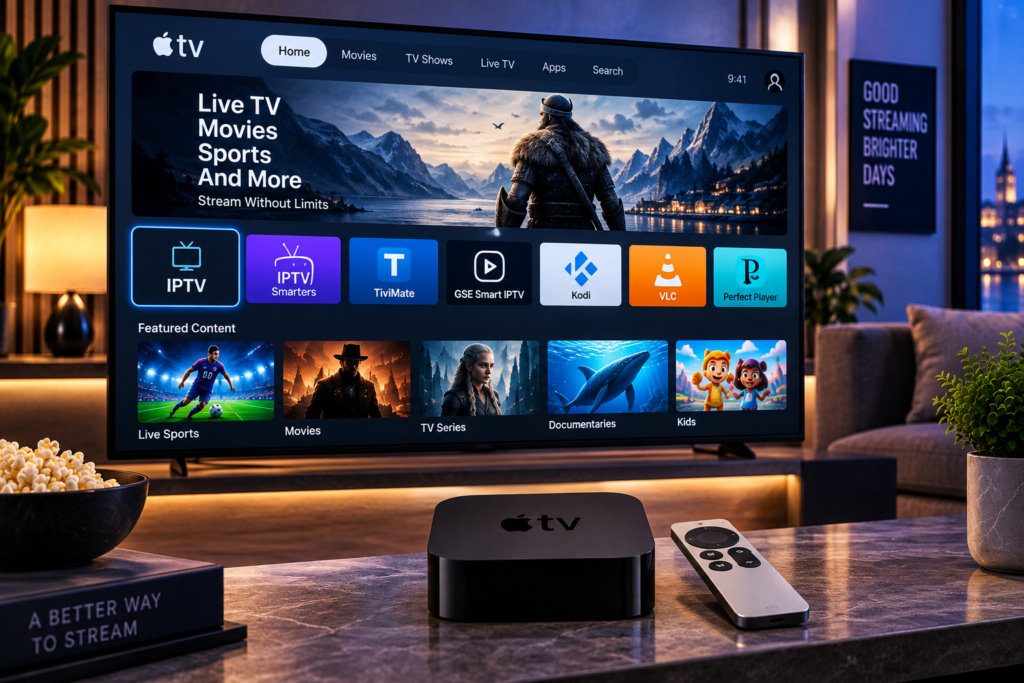
Finding the best iptv app for apple tv can completely change how comfortable IPTV feels on a television. A good tvOS player should make live channels easy to browse, load the Electronic Program Guide correctly, handle M3U or Xtream Codes access, respond naturally to the Apple TV remote, and play HD, FHD, or 4K streams without making navigation complicated.
Apple TV users have several strong choices in 2026, including UHF, IPTVX, iPlayTV, Perfect IPTV Player, and other tvOS focused applications. The right option depends less on which app has the longest feature list and more on how you watch television every day.
What Makes a Good IPTV App for Apple TV?
An IPTV player does not normally provide the television subscription itself. Its job is to organize and play streams supplied through a compatible and authorized IPTV source.
That distinction matters because picture quality and buffering are not controlled by the player alone. Your IPTV source, internet connection, WiFi quality, bitrate, Apple TV hardware, and chosen player can all affect the final experience.
For Apple TV, the most useful player features are straightforward navigation, fast channel switching, reliable EPG support, favorites, search, M3U compatibility, Xtream Codes support, subtitles, multiple audio tracks, and a clean interface designed for a television screen.
UHF: A Strong All Around Choice
UHF receives frequent recommendations from Apple TV users because it is designed around the Apple ecosystem rather than simply adapting a mobile interface for television.
Its current App Store listing supports Apple TV alongside iPhone and iPad and includes support for common IPTV and media sources. Reddit discussions also repeatedly mention its straightforward navigation and television friendly interface.
That makes UHF especially interesting for households that want the same general experience across several Apple devices.
The important point is still to test it with your own IPTV source. A player that feels excellent with one playlist may behave differently with another depending on playlist size, EPG data, categories, and stream formats.
IPTVX: Best for a Streaming Service Style Interface
IPTVX takes a more visual approach. Instead of making IPTV feel like a basic playlist, it aims for an interface closer to modern streaming applications.
Its App Store listing includes live television, EPG, movies, series, multiple playlists, subtitles, audio track selection, catch-up support where available, and synchronization through Apple’s ecosystem. It also supports formats such as M3U and Xtream API.
This makes IPTVX worth considering when presentation matters as much as basic playback.
It can be especially attractive for viewers with large movie and series libraries because posters, categories, favorites, and continue watching features can make a large content collection easier to browse.
iPlayTV: A Straightforward Apple TV Player
iPlayTV is another established option designed specifically around Apple TV.
The current App Store listing includes multiple playlists, Xtream Codes, favorites, search, EPG support, subtitles, audio tracks, catch up support where available, and frame rate matching.
Its appeal is simplicity. Some viewers do not need a highly visual streaming interface. They want a clear channel list, a usable TV guide, favorites, and predictable remote navigation.
That makes iPlayTV a sensible option for users who prefer a traditional IPTV experience rather than an interface built around movies and recommendations.
Perfect IPTV Player: Flexible Format Support
Perfect IPTV Player is another option available for Apple TV.
Its current listing supports M3U and XSPF playlists, Xtream Codes API, XMLTV EPG information, several network protocols, live TV, VOD, series, and catch up functionality where supported by the source. The listing also makes clear that the app itself does not provide television channels.
That last point applies broadly to IPTV players. Installing an app is only one part of the setup. You still need legitimate access details from the IPTV service you intend to use.
Which Apple TV IPTV App Is Best for Beginners?
Beginners should prioritize simplicity over advanced customization.
An app is easier to live with when adding a playlist takes only a few steps, categories load automatically, the guide works without extensive manual matching, and the Apple TV remote behaves predictably.
Before choosing your main player, try opening live television, changing several channels, adding favorites, searching for content, and navigating the EPG.
If you are new to IPTV setup, Monster IPTV provides broader IPTV installation instructions that explain the basic information commonly required by compatible IPTV applications.
M3U or Xtream Codes: Which Is Better on Apple TV?
Both methods can work well, but they organize information differently.
M3U
An M3U playlist contains stream locations and related channel information. You usually paste a playlist URL into the IPTV app and let the player import its contents.
M3U is widely supported and relatively simple. However, EPG information may sometimes need to be added separately through an XMLTV source.
Xtream Codes
Xtream Codes access normally uses a server address, username, and password.
When supported by both the service and player, it can make live channels, movies, series, categories, and EPG data easier to organize within one account.
For beginners, Xtream Codes can therefore feel cleaner, although the best choice depends on the details supplied by the IPTV service.

Why EPG Quality Matters on Apple TV
EPG stands for Electronic Program Guide.
It is the television schedule showing what is playing now and what comes next. For everyday viewing, EPG quality can matter almost as much as video playback.
Without a reliable guide, users may have hundreds of channels but little idea what is currently showing.
When testing an IPTV player, check whether the guide loads quickly, whether programme names match the correct channels, whether local times are accurate, and whether switching between the guide and live television feels smooth.
Reddit discussions around Apple TV IPTV apps regularly mention EPG behavior as one of the factors separating otherwise similar players.
Best IPTV App for Apple TV for Sports
Sports viewers should pay extra attention to channel switching speed and playback stability.
During football, hockey, motorsport, boxing, or other live events, you may move between several feeds quickly. A good player should make this easy without forcing you through several menu layers.
Frame rate handling can also matter because sports contain constant fast motion. However, the app cannot create quality that is missing from the original stream.
If you mainly want Swedish and Nordic television, it is worth checking the actual IPTV channel selection for Swedish viewers before worrying about which player has the most advanced interface.
Content relevance should come before cosmetic features.
Apple TV Remote Navigation Matters More Than You Think
An IPTV application may look excellent in screenshots but still feel frustrating from the sofa.
Apple TV is controlled primarily through the Siri Remote, so common actions should require as few steps as possible.
Pay attention to how quickly you can open the guide, return to the previous channel, browse categories, access favorites, search, pause supported content, and return to full screen playback.
This is one reason community recommendations can be useful. Users often notice navigation problems that are difficult to judge from an App Store description alone.
Should You Pay for an IPTV Player?
A paid app is not automatically better, but payment can unlock useful quality of life features.
Some players use subscriptions, lifetime purchases, or premium tiers. Paid functionality may include synchronization, multiple playlists, enhanced EPG tools, advanced customization, additional profiles, or removal of restrictions.
Before paying, test the core navigation if a trial or free version is available.
The best value is not necessarily the cheapest app. If you use Apple TV every evening, paying for an interface that saves time and frustration may be worthwhile.
Apple TV IPTV and Streaming Quality
When IPTV buffers, users often blame the application immediately. That can be misleading.
The problem might come from the stream source, internet provider, wireless connection, server load, Apple TV network conditions, or video format.
If playback becomes unstable, test several channels first. Then try the same account in another compatible player if possible.
If only one application struggles, the player may be involved. If the same channels fail in every app, the issue is more likely elsewhere.
For comparison purposes, Swedish users researching different services may also encounter Viking IPTV. Whatever provider you evaluate, use the same Apple TV, network, player, and viewing period so your comparison remains meaningful.
Privacy and Account Security
Your M3U URL or Xtream Codes details may contain private account information.
Do not post screenshots showing full server addresses, usernames, passwords, or private playlist URLs. Avoid sharing credentials in public forums.
Install IPTV players through trusted sources such as the official App Store, and review the developer information and privacy details before entering an account.
It is also useful to remember that the legality of an IPTV player and the legality of the content being played are separate questions. Users should ensure that their source has appropriate rights to distribute the content being accessed.
Frequently Asked Questions
What Is the Best IPTV App for Apple TV in 2026?
UHF, IPTVX, iPlayTV, and Perfect IPTV Player are among the options worth comparing. The best choice depends on your preferred interface, EPG needs, playlist format, Apple ecosystem use, and viewing habits.
Does Apple TV Support M3U IPTV?
Yes. Several tvOS IPTV applications can import compatible M3U or M3U8 playlists.
Can I Use Xtream Codes on Apple TV?
Yes, provided your chosen IPTV application supports Xtream Codes and your IPTV service supplies compatible account credentials.
Does an IPTV App Include TV Channels?
Usually not. The player generally organizes and displays content from a separate IPTV source.
Is Apple TV Good for IPTV?
Apple TV can provide a smooth IPTV experience when paired with a suitable tvOS player, a stable network connection, and a reliable authorized content source.
Final Thoughts
The best Apple TV setup is the one that makes everyday viewing easy. UHF is a strong all around option, IPTVX suits users who prefer a polished streaming-style interface, iPlayTV offers a more traditional television experience, and Perfect IPTV Player provides broad playlist and streaming format support. Test navigation, EPG accuracy, favorites, search, channel switching, and playback with your own setup before committing to one app. If you also need a service focused on Swedish live TV, sports, movies, series, and multiple devices, you can explore the available options at Monster IPTV.
