 Skip to main content
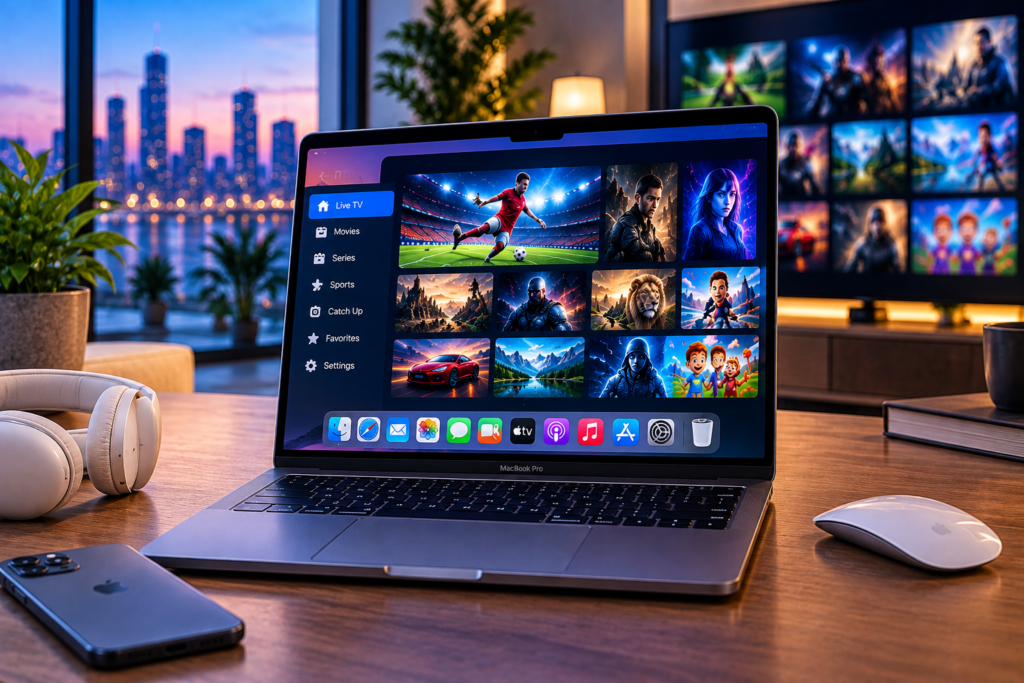
Watching IPTV on Mac is a practical way to access live television, sports, movies, and series without adding another device to your desk. A Mac can handle HD, FHD, and 4K streams well when you have a reliable internet connection, a compatible IPTV player, and valid subscription details from your IPTV provider.
The setup is also easier than many first time users expect. In most cases, you install an IPTV player, add an M3U playlist or Xtream Codes login, wait for the channel library to load, and start watching. The main challenge is choosing a player that works properly with macOS and configuring it correctly.
What Do You Need to Watch IPTV on a Mac?
An IPTV player does not normally provide television channels by itself. Think of the player as the software that reads and displays the television service connected to it.
To get started, you generally need a Mac, a stable internet connection, an IPTV player, and active IPTV account details. Your provider may give you an M3U URL or Xtream Codes credentials containing a server address, username, and password.
For the smoothest experience, keep macOS and your player updated. A wired Ethernet connection can provide greater consistency, although modern WiFi networks are usually suitable when the signal is strong.
Before installing anything, you can also review the IPTV setup instructions to understand how subscription credentials and compatible players normally work.
Best IPTV Players for Mac
The right player depends on whether you want a simple playlist viewer or a complete television style interface with an EPG, favourites, search, and content categories.
IPTVX
IPTVX is designed around the Apple ecosystem and currently supports Mac computers with Apple Silicon as well as other Apple devices. Its interface is suited to people who want their IPTV library to feel closer to a modern streaming service.
It is particularly useful if you want a clean interface for live channels, movies, series, and organized playlists. Users with several Apple devices may also appreciate having a similar viewing experience across their devices.
UHF
UHF is another Apple focused IPTV player worth considering. It supports common IPTV playlist systems such as M3U8 and Xtream and includes useful features for organizing channels and navigating television content.
A major advantage is its focus on the wider Apple ecosystem. That can make it more convenient for households using a Mac together with an iPhone, iPad, or Apple TV.
VLC Media Player
VLC is a strong choice for users who prefer simplicity. It is a free media player available for both Intel based Macs and Apple Silicon Macs.
VLC can open many streaming protocols and media formats, making it useful for testing an M3U stream or watching a direct network stream. Its main limitation is organization. It does not provide the polished television guide and library experience available in dedicated IPTV applications.
IPTV Smart Player
IPTV Smart Player supports playlists and live streams and can be installed on compatible Apple Silicon Macs through the Apple ecosystem. Availability and compatibility should always be checked in the Mac App Store before installation because requirements can change.
It may suit users who want playlist management and a straightforward interface without building a more advanced media setup.

How to Set Up IPTV on Mac With an M3U Playlist
M3U is one of the most common methods for connecting an IPTV subscription to a player.
First, install a compatible IPTV application from a trusted source. Open the application and look for an option such as Add Playlist, New Playlist, Add M3U, or Import Playlist.
Copy the M3U URL supplied by your IPTV provider and paste it into the required field. Give the playlist a recognizable name and save it.
The player will then download available channels and other supported content. Depending on the size of the playlist and your connection, the first synchronization can take a short while.
Once loading is complete, open a channel to test playback. If television channels appear but do not play, confirm that your subscription is active and that the M3U address was copied completely.
How to Set Up IPTV Using Xtream Codes
Xtream Codes login is often easier to manage because the information is separated into three main fields.
Open your chosen player and select Xtream Codes or Xtream API if available. Enter the server URL provided with your subscription, followed by your username and password. Save the account and allow the player to synchronize.
Your live channels, movies, series, categories, and EPG information may then appear automatically when those features are provided by your service.
Never post IPTV login details publicly. Treat the username, password, playlist URL, and server address as private account information.
How to Improve IPTV Streaming Quality on macOS
A capable Mac does not automatically guarantee smooth IPTV playback. Streaming quality depends heavily on the connection between your device and the stream source.
Start by closing unnecessary downloads, cloud backups, or other applications using large amounts of bandwidth. If your Mac is far from the router, move closer or connect through Ethernet.
For 4K viewing, connection stability matters as much as headline download speed. Short WiFi interruptions can cause buffering even when an internet speed test looks impressive.
If streaming performance changes because of routing or network restrictions, read the practical information about using a VPN with IPTV before changing your setup. A VPN can affect routing and privacy, but it can also reduce speed, so server choice and connection quality matter.
People comparing providers in the Nordic market may also encounter alternatives such as Viking IPTV while researching channel packages and device support. Whatever service you use, confirm that you have the appropriate rights to access the streams included in your playlist.
Common IPTV on Mac Problems and Fixes
Playlist Does Not Load
Check the M3U URL or Xtream credentials carefully. An extra space, missing character, expired subscription, or incorrect server address can stop the playlist from loading.
If the details are correct, restart the player and try loading the account again. Testing the same details in another compatible player can also help determine whether the issue comes from the player or the IPTV service.
Channels Buffer Frequently
Buffering commonly comes from network congestion, weak WiFi, an overloaded stream source, or unusually high bandwidth use elsewhere on the network.
Test another channel first. If only one or two channels are affected, the problem may be specific to those streams. If every channel buffers, test your connection and restart the router before changing application settings.
Video Plays but There Is No Sound
Audio problems can result from codec support or incorrect output settings. Try another channel, check the Mac sound output, and restart the application.
If the same stream works in VLC but not in your regular IPTV application, codec handling in the player may be the cause.
EPG Information Is Missing
An electronic program guide depends on guide information supplied by the service and support within the application. Refresh the playlist and EPG data first.
Some applications also allow a separate EPG URL to be added manually. If your provider supplies one, enter it in the corresponding guide settings.
Can You Watch 4K IPTV on a Mac?
Yes, a suitable Mac can play 4K IPTV streams, but the complete streaming chain must support that quality.
Your IPTV service must provide a genuine 4K stream, your player must support the relevant video format, your Mac must have sufficient decoding capability, and your internet connection must remain stable.
Display resolution also matters. A 4K stream viewed on a lower resolution screen will still play, but you will not see the full native detail of the source.
Is IPTV Legal on Mac?
The Mac itself and IPTV player software are simply technologies for playing media. Legality depends on the source of the television channels, movies, series, and other streams being accessed.
Use playlists and subscriptions that provide content you are legally permitted to watch. Reputable IPTV players commonly state that they provide playback software rather than television content themselves.
This distinction is important because downloading a legitimate player does not automatically make every playlist or stream legitimate.
Frequently Asked Questions
Can I watch IPTV on a MacBook?
Yes. MacBook Air and MacBook Pro models can run compatible IPTV applications. Check the application requirements because some players require Apple Silicon or a recent macOS version.
Can I use an M3U playlist on macOS?
Yes. Many IPTV and multimedia players can import an M3U URL. You normally paste the playlist address into the player and allow it to load the available streams.
Is VLC good for IPTV on Mac?
VLC works well for opening many network streams and M3U playlists. It is useful for straightforward playback and troubleshooting, although dedicated IPTV players usually provide better channel organization, EPG support, favourites, and browsing.
Why does IPTV buffer on my Mac?
Common causes include weak WiFi, network congestion, an unstable stream source, background downloads, or routing issues. Testing another channel and using Ethernet can help isolate the cause.
Which IPTV player should I choose?
Choose according to your priorities. IPTVX and UHF are suited to users wanting an Apple focused interface and organized libraries, while VLC is useful for simple playback and stream testing. Always confirm current macOS compatibility before installing a player.
Watching IPTV on a Mac becomes straightforward once you have the right player, valid account details, and a stable connection. If you want to explore live television, sports, movies, series, and compatible streaming options for Swedish users, visit Monster IPTV to review the available service and choose a setup that fits your devices.
