 Skip to main content
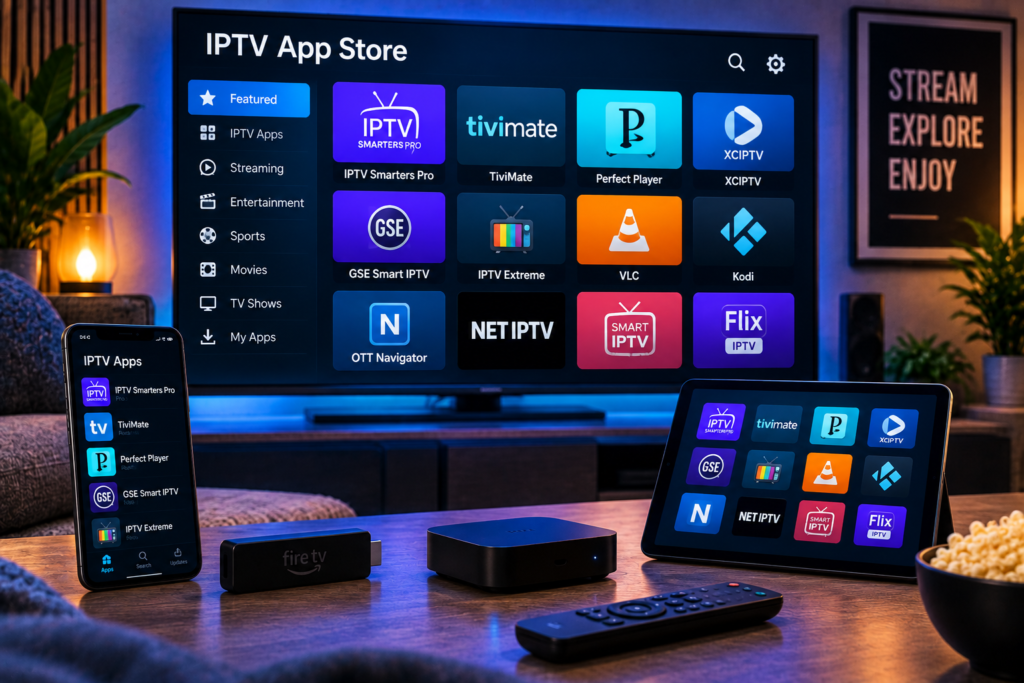
Searching the iptv app store on an iPhone or iPad can leave you with dozens of players that look almost identical. Some focus on simple M3U playback, while others provide a full television-style experience with EPG guides, favourites, movies, series, catch-up, multiple playlists, and cross-device syncing.
For Apple users in 2026, IPTVX is one of the strongest overall choices because it combines a polished interface with broad IPTV format support. UHF is an excellent alternative for users who want modern design and useful free features. IPTV Smarters Player Expert works well for people who use several Apple devices, while GSE Smart IPTV Player and IPTV Smart Player suit users who want simpler playlist-based viewing.
The right choice depends on your IPTV login format, viewing habits, device, and whether you want free features or a more complete premium experience.
Best IPTV App Store Choices at a Glance
IPTVX: Best overall for iPhone, iPad, and Apple TV
UHF: Best modern alternative with useful free features
IPTV Smarters Player Expert: Best for syncing across Apple devices
GSE Smart IPTV Player: Best for straightforward M3U and Xtream playback
IPTV Smart Player: Best for simple iPhone and iPad streaming
An IPTV player normally does not include television channels itself. You need to add your own authorised IPTV subscription, playlist, or compatible login details before content appears.
What Should You Look for in an IPTV App?
The best IPTV app should make watching television easier rather than adding extra complexity.
Start with compatibility. Some providers give users an M3U or M3U8 playlist, while others use Xtream-compatible credentials. Your player needs to support whatever login method your IPTV service supplies.
An electronic programme guide is also valuable. A good EPG lets you browse programmes, see what is currently playing, and check what comes next without opening every channel.
Other useful features include search, favourites, subtitles, multiple playlists, Picture-in-Picture, AirPlay, catch-up support, parental controls, and the ability to continue watching movies or series.
If you are new to IPTV on Apple devices, Monster IPTV’s IPTV installation instructions provide a useful starting point for understanding how a subscription connects to different players.
1. IPTVX: Best Overall IPTV App for Apple Devices
IPTVX is built specifically around the Apple ecosystem and is available for iPhone, iPad, and Apple TV. Its current App Store listing supports Xtream API, M3U, M3U8, Plex, and SMB sources.
Why IPTVX Stands Out
The biggest advantage is presentation.
Instead of showing a plain playlist, IPTVX organises live television, movies, series, favourites, and recently watched content in an interface that feels closer to a modern streaming service.
It also offers EPG grid support, search across programmes and channels, Picture in Picture, AirPlay 2, catch up functionality, parental controls, multiple playlists, subtitle options, and iCloud syncing.
For people who regularly move between an iPhone, iPad, and Apple TV, that connected Apple experience can be particularly convenient.
Who Should Choose IPTVX?
IPTVX is best for users who care about interface quality and want IPTV to feel polished rather than technical.
It also suits households with large libraries because strong search, categories, favourites, and programme information make thousands of channels easier to manage.
The application is free to download but includes in app purchases, so users should review current pricing and which features are included before choosing a paid option.

2. UHF: Best Modern Alternative
UHF has become another strong IPTV player for Apple users. Its current App Store listing supports iPhone, iPad, and Apple TV and works with M3U8, Xtream, Plex, Jellyfin, and Emby sources.
Why UHF Is Worth Considering
UHF focuses heavily on making IPTV feel like a conventional premium streaming application.
The free version includes core playback and content tools, while optional premium features add extras such as expanded syncing and additional programme guide functionality.
It also supports useful features such as favourites, category organisation, parental controls, subtitles, and high quality playback formats.
UHF can therefore be a good choice for users who want to test a capable player before deciding whether premium features are worth paying for.
Best for Apple TV Users Too
Even though this guide focuses on iPhone and iPad, Apple TV support is worth considering if you plan to use the same IPTV service on a larger screen later.
Choosing one player across several Apple devices can reduce the amount of setup required and provide a more consistent interface.
3. IPTV Smarters Player Expert: Best for Multiple Apple Devices
IPTV Smarters Player Expert is another current App Store option supporting iPhone, iPad, Mac, and Apple TV. The application supports M3U and M3U8 playlists, Xtream Codes API, and Stalker Portal sources.
Cross Device Viewing Is Its Main Strength
The app places considerable emphasis on synchronisation.
Supported features include playlist import, EPG information, favourites, recently watched content, replay functionality, subtitles, multiple sources, and syncing across supported Apple devices through an account. Some of these functions require premium access.
That can be useful for someone who watches a programme on an iPhone during the day and later continues on an iPad or Apple TV.
Best for Beginners
The interface separates IPTV content into familiar sections, making it easier for new users to understand the difference between live television, movies, series, programme information, and playlists.
Beginners should still check the exact name and developer before downloading. The App Store contains several applications using similar words such as Smarters, IPTV Player, and Smart Player.
4. GSE Smart IPTV Player: Best for Flexible Playlist Support
GSE Smart IPTV Player is designed around playlist based viewing and currently supports iPhone and iPad.
Its App Store listing includes M3U support, Xtream Codes API, EPG, video on demand, series, catch up television, search, sorting, multiple playlists, and several network streaming formats.
Why Choose GSE Smart IPTV Player?
GSE is useful for viewers who care more about compatibility and control than having the most elegant interface.
It can handle common IPTV connection formats while providing the core features users expect from a dedicated player.
For Swedish viewers, a strong search function is especially useful when a subscription contains channels from many countries. Instead of scrolling through a large international playlist, you can search directly for the Swedish, Nordic, sports, movie, or entertainment channel you want.
Users who want to understand what television categories may be available through their subscription can review the Monster IPTV channel selection before organising favourites in their chosen player.
5. IPTV Smart Player: Best for Simple iPhone and iPad Use
IPTV Smart Player is a simpler choice for users who mainly want to load their own media or playlist and begin watching.
The current App Store listing identifies it as an iPhone and iPad application and confirms support for M3U files and live IPTV streams. The listing also makes clear that the app does not provide channels or playlists itself.
Why Simplicity Can Be Useful
Not every viewer needs advanced syncing, huge EPG grids, multiple servers, or extensive customisation.
If your main goal is to add a playlist and access live streams on an iPhone or iPad, a simpler player can be easier to manage.
The app is free to download but contains advertising and in app purchases according to its current listing.
IPTV App Versus IPTV Subscription
This is one of the most important distinctions for beginners.
An IPTV app is the software that displays and plays your content.
An IPTV subscription supplies access to the actual live channels, movies, series, and other programming.
Downloading IPTVX, UHF, GSE, or another player does not normally provide a television package automatically.
Your provider gives you the credentials or playlist information that you enter into the application.
When comparing Nordic IPTV services, users may also encounter providers such as JA IPTV during their research. Regardless of which provider you choose, check that its login format works with your preferred iPhone or iPad player.
How to Set Up IPTV on an iPhone or iPad
Step 1: Install a Compatible Player
Open the App Store and search for the exact application you want.
Check the developer name, ratings, supported devices, required iOS version, privacy information, and in app purchase details before installing.
Step 2: Get Your IPTV Details
Your IPTV provider may supply an M3U URL, M3U8 playlist, username and password, server address, or another compatible login method.
Do not share these credentials publicly.
Step 3: Add the Playlist
Open your IPTV application and choose the appropriate playlist or account option.
Enter the details exactly as supplied by your provider. Even a small error in the server address or login information can stop the playlist from loading.
Step 4: Load the EPG
If your provider supplies programme information, allow the EPG to load before judging the interface.
Large playlists can take longer to organise during the first setup.
Step 5: Create Favourites
Instead of browsing a huge playlist every day, save the channels you regularly watch.
For Swedish viewers, this may include Swedish entertainment, news, sports, children’s programming, Nordic channels, and international favourites.
Which Features Matter Most on iPhone?
Mobile IPTV viewing is different from television viewing.
Picture-in-Picture is useful because it lets you continue watching while using another compatible app. Search is important because scrolling through thousands of channels on a small screen is inconvenient.
AirPlay can also be valuable if you sometimes want to send compatible playback from an iPhone or iPad to another supported screen.
For commuters and travellers, an interface that loads quickly and responds well to touch controls is often more useful than an elaborate television style guide.
Which Features Matter Most on iPad?
The larger iPad screen gives programme guides and movie libraries more room.
An EPG grid becomes easier to browse, while split viewing and Picture in Picture can make the tablet practical for watching live sports or news while doing something else.
An iPad can also work well as a second television around the home because it is easy to move between rooms.
Free Versus Paid IPTV Apps
Many App Store IPTV players are free to install but use optional subscriptions, permanent upgrades, advertising, or restricted free features.
Do not assume that free installation means every feature is included.
Before paying, test the player with your own IPTV subscription. Check playlist loading speed, EPG performance, subtitles, search, favourites, and video playback.
A premium upgrade only makes sense when it improves features you genuinely use.
How to Reduce IPTV Buffering on iPhone and iPad
The player is not always responsible for buffering.
A weak WiFi signal, overloaded network, source stream, internet routing, or device settings can all affect playback.
Start by testing another channel. Then compare the same stream in another IPTV player if possible.
If one application consistently performs better with the same connection and stream, the difference may come from decoding or player configuration.
Also keep iOS or iPadOS and your IPTV application updated to maintain compatibility.
Frequently Asked Questions
What Is the Best IPTV App in the App Store?
IPTVX is one of the most complete choices for Apple users because it combines IPTV playlist support with EPG, search, favourites, AirPlay, Picture in Picture, and cross-device features. UHF is another strong alternative.
Can I Watch IPTV on an iPhone?
Yes. Many App Store players support IPTV playlists and compatible provider credentials on iPhone.
Can I Use the Same IPTV App on an iPad?
Many iPhone IPTV applications also support iPad, but you should check the App Store compatibility section before installing.
Does an IPTV App Include TV Channels?
Usually no. Most players require users to supply their own authorised IPTV subscription or playlist.
What Is M3U in IPTV?
M3U is a commonly used playlist format that can contain links to live streams and other media. Many IPTV services provide an M3U URL that compatible players can import.
Which IPTV App Is Best for Apple TV Too?
IPTVX, UHF, and IPTV Smarters Player Expert currently support Apple TV as well as other Apple devices, making them useful choices for users who want a similar setup across several screens.
Best IPTV App Store Choice for 2026
The best IPTV app store choice depends on how you use your iPhone or iPad. IPTVX offers one of the most complete Apple-focused experiences, UHF provides a modern alternative, IPTV Smarters Player Expert suits cross-device users, GSE gives flexible playlist support, and IPTV Smart Player keeps basic playback simple. Once you have chosen the player that fits your needs, pair it with a stable service that supports your preferred channels and devices. For Swedish television, sports, movies, series, and HD, FHD, or 4K streaming, visit Monster IPTV and choose the subscription that matches how you watch.
