 Skip to main content
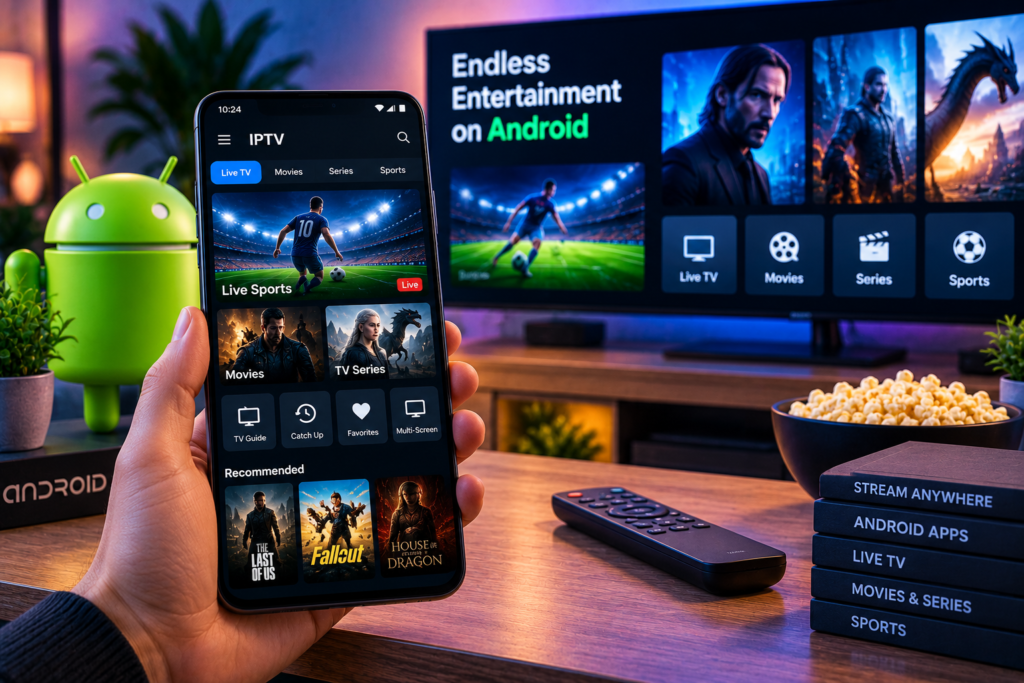
Finding the best iptv app android users can rely on in 2026 depends heavily on the device you plan to use. An IPTV player that feels excellent on Android TV may be frustrating on a touchscreen phone, while a simple mobile player may lack the programme guide and remote control features needed for a living room television.
For Android TV and Google TV, TiviMate remains one of the strongest overall choices. Televizo is particularly useful for phones and tablets, while Sparkle TV is a powerful alternative for people who want recording, programme guide features, and extensive TV customisation. IPTV Smarters-style players remain attractive for beginners, while Kodi offers greater flexibility for users building a complete media centre.
The important point is to choose the player around your device, IPTV login format, and viewing habits rather than simply downloading the app with the longest feature list.
Best IPTV Apps for Android in 2026 at a Glance
TiviMate: Best overall for Android TV and Google TV
Televizo: Best for Android phones and tablets
Sparkle TV: Best alternative for advanced TV features
IPTV Smarters: Best for beginners
Kodi: Best for a complete Android media centre
TiviMate currently supports M3U, Xtream Codes, and Stalker Portal sources alongside EPG, favourites, catch up, recording, search, parental controls, and multiview. Its developer specifically states that the interface is designed for Android TV and is not optimised for touchscreen phones or tablets.
That distinction is important because Android is not a single viewing environment. A smartphone, tablet, Android TV, Google TV television, and streaming box can all run Android-based software while requiring very different interfaces.
What Makes a Good Android IPTV App?
A good IPTV player should make thousands of channels feel manageable.
The first thing to check is playlist compatibility. Most IPTV subscriptions provide connection details using M3U, Xtream Codes, or another supported portal method. The application must understand the format supplied by your provider.
Next comes interface quality. On a television, menus should respond properly to a remote control. On a phone, buttons, search, favourites, and playback controls should work naturally with touch.
Other useful features include:
EPG programme information
Channel search
Favourite lists
Catch up support
Movies and series sections
Multiple playlists
Subtitles and audio tracks
Parental controls
Hardware accelerated playback
Recording or timeshift
Multiview
Not every viewer needs every feature. Someone who mainly watches Swedish live television may care far more about a clean EPG and favourites than recording or multiview.
Beginners can use Monster IPTV’s IPTV installation instructions to understand how subscriptions and compatible players are configured across common devices.
1. TiviMate: Best IPTV App for Android TV
Why TiviMate Leads on Television Screens
TiviMate is designed around the traditional television experience.
Its programme guide displays channels and schedules in a familiar grid, while favourites, search, multiple playlists, and category management make large IPTV libraries easier to navigate.
Current versions support M3U, Xtream Codes, and Stalker Portal connections. Other available features include catch-up, recording, parental controls, and multiview.
This makes TiviMate particularly suitable for Android TV boxes, Google TV devices, Nvidia Shield, and compatible televisions.
Best for Live TV and Sports
The interface is especially useful for live television viewers.
If you frequently switch between football, hockey, news, entertainment, and movie channels, quick navigation matters. Being able to place your most watched channels into favourites can save considerable time.
Multiview can also be useful during busy sporting schedules when several events are taking place simultaneously.
TiviMate Limitation
TiviMate is not designed primarily for Android phones and tablets. The official Google Play description specifically notes that it is designed for large screens and remote control navigation.
For touchscreen devices, Televizo is generally a more natural choice.
2. Televizo: Best IPTV App for Android Phones
Televizo provides a more flexible experience across Android phones, tablets, and televisions.
Its current feature set includes multiple playlists, EPG support, catch-up, Chromecast, search, sorting, favourites, parental controls, subtitles, and multiple video and audio tracks.
Why Televizo Works Well on Mobile
The biggest advantage is simplicity.
You can add your playlist and start browsing without spending a long time configuring the interface. Search and favourites are particularly valuable on smaller screens because scrolling manually through hundreds or thousands of channels becomes tiring.
Chromecast support also gives phone users another option. You can browse content from your Android device and use compatible casting hardware when you want to watch on a larger screen.

Best for Beginners
Televizo is a good starting point if you are new to IPTV.
Its basic functions are easy to understand, while more experienced users still have access to features such as multiple playlists, programme information, subtitles, and external playback options.
The player itself does not supply television channels. Users must add their own authorised playlist or service details.
3. Sparkle TV: Best TiviMate Alternative
Sparkle TV is one of the most interesting alternatives for Android TV and Google TV users.
It supports M3U, M3U8, Xtream Codes, XMLTV, Stalker Portal, Jellyfin, Plex, and several additional television sources. Its feature set includes EPG, search, favourites, timeshift, DVR recording, multiview, catch up, movies, series, subtitles, and remote control customisation, although some functions require the Plus version.
Strong Choice for Advanced Users
Sparkle becomes particularly attractive when you want more than basic channel playback.
Timeshift allows supported live streams to be paused, while DVR features can schedule recordings. Users can also manage several sources and customise channel organisation.
Its programme guide and search tools help organise large IPTV subscriptions into something closer to a conventional television experience.
An interesting detail for Swedish viewers is that Sparkle TV is developed by a company based in Sweden.
TiviMate Versus Sparkle TV
TiviMate is usually the easier recommendation when interface polish and straightforward live TV navigation matter most.
Sparkle TV deserves consideration when recording, source flexibility, timeshift, and detailed television controls carry more weight.
Neither player includes IPTV channels by itself.
4. IPTV Smarters: Best for Simple Setup
IPTV Smarters-style players remain popular because they organise content into familiar categories such as live television, movies, and series.
That structure can feel more approachable for someone using IPTV for the first time.
Instead of dealing directly with a raw playlist, users can enter compatible IPTV credentials and browse content through clearly separated sections.
Good for Movies and Series
Smarter-based applications can be convenient when your subscription includes a large video-on-demand library.
Separating live television from films and series makes it easier to move between different types of entertainment.
The main drawback is that several applications use similar Smarters-related names. Always check the developer, permissions, reviews, and current listing before entering IPTV account details.
5. Kodi: Best for a Complete Media Centre
Kodi approaches IPTV differently.
It is not simply an IPTV application. It is a full media centre that can combine live television with locally stored movies, music, network media, and other supported sources.
IPTV functionality can be added through compatible PVR clients.
Who Should Choose Kodi?
Kodi is useful for people who enjoy customising their media environment.
A dedicated Android TV box running Kodi can become a central interface for several types of entertainment rather than serving only as an IPTV device.
The downside is complexity. Setting up Kodi takes more effort than entering credentials into Televizo or a Smarters-based player.
For someone who simply wants to switch on a television and browse live channels, TiviMate or Sparkle will usually feel more direct.
Android TV Versus Android Phone: Which App Do You Need?
This is where many comparison articles become confusing.
For Android TV and Google TV
Choose an interface built around a remote control.
TiviMate is our first choice for general live television viewing. Sparkle TV is an excellent alternative if you value DVR, timeshift, multiple sources, and deeper configuration.
For Android Phones
Televizo provides a better balance of touchscreen usability and IPTV features.
Search, favourites, playlist management, Chromecast, subtitles, and EPG support make it practical for viewing away from the television.
For Android Tablets
Televizo remains a good option because it adapts better to touch navigation than applications developed mainly for large television screens.
Kodi can also work when the tablet is part of a wider media setup.
IPTV Player Versus IPTV Provider
An IPTV player and an IPTV provider perform completely different jobs.
The player is the application.
The provider supplies the television subscription, channels, movies, series, and streaming access.
Installing TiviMate, Sparkle, Televizo, Kodi, or another player will not normally give you premium television automatically.
This is why choosing a good player does not guarantee a good streaming experience. Stream stability, available channels, server performance, and video quality depend heavily on the service feeding content into the app.
Swedish users can review Monster IPTV’s available channel selection to understand which television categories they may want to organise inside their chosen Android player.
M3U Versus Xtream Codes
Two terms appear repeatedly when setting up Android IPTV applications.
M3U
An M3U playlist normally provides a URL containing references to available streams.
Compatible players read that playlist and organise the channels.
Xtream Codes
An Xtream style login typically uses a server address, username, and password.
Many users find this method convenient because compatible applications can automatically organise live TV, movies, series, and programme information.
Your IPTV provider should tell you which login format is available.
Which Features Matter Most for Swedish Viewers?
A huge feature list is not automatically useful.
Swedish households should prioritise quick access to Swedish channels, Nordic programming, sports, movies, and international content they genuinely watch.
Good category organisation and favourites are particularly valuable when a playlist contains channels from many countries.
EPG quality also matters because viewers need accurate schedules for live television and sports.
People comparing Nordic services may also encounter IPTV Sverige while researching subscription options. Regardless of the provider selected, confirm Android compatibility and playlist format before choosing your player.
Can Android IPTV Apps Play 4K?
Yes, compatible Android IPTV players can display 4K streams, but the app is only one part of the equation.
You also need a genuine high-resolution source, sufficient internet bandwidth, compatible video codecs, suitable Android hardware, and a 4K display.
Hardware decoding can reduce the workload placed on the processor, which is particularly useful with demanding video.
If a 4K stream performs poorly, test an FHD channel from the same service. This can help determine whether the problem is related to the device, network, or source.
How to Reduce Buffering on Android IPTV
Buffering does not automatically mean you need a different player.
First, test several channels. If only one stream has a problem, the issue may be related to that source.
Next, try the same channel in another player. If it performs well there, check the original application’s decoder and playback settings.
For fixed Android TV devices, Ethernet can provide a more consistent connection than weak WiFi. If Ethernet is unavailable, a strong WiFi connection with the router reasonably close to the device is preferable.
Restarting the router and Android device can also clear temporary network or memory problems.
Frequently Asked Questions
What Is the Best IPTV App for Android in 2026?
TiviMate is one of the strongest choices for Android TV and Google TV because its interface is designed for television screens. Televizo is better suited to Android phones and tablets.
Is TiviMate Free?
TiviMate can be installed from Google Play, but premium application features involve an in app purchase. Paying for TiviMate unlocks player features rather than television channels.
What Is the Best IPTV Player for an Android Phone?
Televizo is a strong option because it supports phones and tablets while providing EPG, multiple playlists, search, favourites, catch up, Chromecast, and subtitle controls.
Is Sparkle TV Better Than TiviMate?
Neither is universally better. TiviMate provides an excellent large-screen interface, while Sparkle TV offers extensive DVR, timeshift, source management, and customisation features. The right choice depends on your priorities.
Does an IPTV App Include Channels?
No. Reputable IPTV players typically state that they are media players only. You need to supply your own authorised subscription or playlist.
Can I Use the Same IPTV Subscription in Different Android Apps?
Often yes, provided the applications support your provider’s login format. Simultaneous streaming on several devices depends on how many connections your subscription allows.
Best IPTV App Android Verdict for 2026
The best IPTV app Android users should choose in 2026 depends on the screen in front of them. TiviMate is our strongest overall recommendation for Android TV, Televizo works better on phones and tablets, Sparkle TV offers an impressive advanced TV feature set, IPTV Smarters keeps setup beginner-friendly, and Kodi suits users who want a complete media centre. Once you have chosen the player that fits your device, pair it with a stable subscription that delivers the channels and streaming quality you need. For Swedish live TV, sports, movies, series, HD, FHD, and 4K viewing across compatible devices, visit Monster IPTV and choose the IPTV setup that fits how you watch.
