 Skip to main content
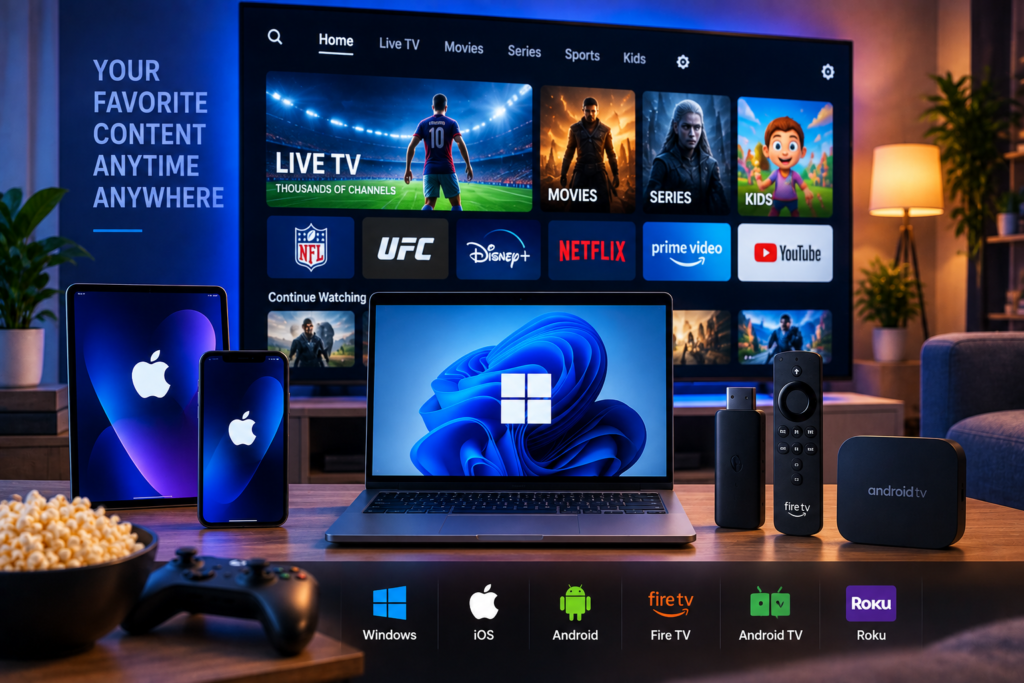
Choosing the best IPTV app in 2026 depends less on finding one universal winner and more on matching the player to the device you actually use. An app that feels excellent on an Android TV may not even be available for an iPhone, while an application designed for mobile screens may feel awkward when controlled with a television remote.
For most viewers, TiviMate remains one of the strongest choices for Android TV and Fire TV devices because of its television-focused interface and programme guide. Smarter-based players are attractive for people who want a simple experience across several platforms. Sparkle TV is another strong option for Android-based televisions, while Apple users have their own selection of M3U-compatible players.
The important point is that an IPTV player and an IPTV subscription are two different things. The app provides the interface and playback tools. Your IPTV service supplies the channels, movies, series, programme information, and streaming access.
Best IPTV Apps in 2026 at a Glance
For readers who want a quick answer, these are our top choices by use case.
TiviMate: Best overall for Android TV and Fire TV
IPTV Smarters: Best for beginners and multiple device types
Sparkle TV: Best TiviMate alternative for Android TV
GSE Smart IPTV: Strong option for iPhone and iPad users
VLC Media Player: Best simple choice for PC and stream testing
There is no reason to choose an app because it has the longest feature list. A better approach is to look at your device, playlist format, viewing habits, and the features you actually use every day.
What Makes a Good IPTV App?
A good IPTV player should make a large television library feel simple.
That starts with fast navigation. Opening live TV, searching for a channel, checking an EPG, finding a movie, or returning to a favourite should take seconds rather than several menus.
Compatibility matters just as much. IPTV providers commonly supply M3U playlists, Xtream compatible credentials, or another supported portal method. Your chosen player must support the format your service provides.
For Swedish households using several devices, it is also useful to consider whether everyone wants the same app or whether each screen should use the player that works best on that platform.
Before choosing software, beginners can read the Monster IPTV IPTV installation instructions to understand how IPTV credentials and player setup work across common devices.
1. TiviMate: Best IPTV App for Android TV and Fire TV
Why TiviMate Stands Out
TiviMate is built around the experience of watching television from a sofa. Instead of feeling like a mobile app enlarged for a television screen, its interface is designed for remote control navigation.
The electronic programme guide is one of its biggest strengths. Users can browse channels and schedules in a familiar grid, build favourite lists, organise groups, and move between programmes quickly.
This becomes especially valuable when an IPTV subscription includes a large number of live channels. A well organised interface saves far more time than scrolling through an endless channel list.
TiviMate is particularly well suited to Android TV, Google TV, Nvidia Shield, Android boxes, and compatible Fire TV setups.
Who Should Choose TiviMate?
Choose TiviMate if live television is your main priority and you use an Android-based television device.
It is especially appealing to sports viewers because quick channel switching, favourites, programme information, and a clean EPG make it easier to move between live events.
The main limitation is platform coverage. It is not the answer for someone who primarily watches IPTV on an iPhone, iPad, Windows PC, or other unsupported platform.

2. IPTV Smarters: Best IPTV App for Beginners
IPTV Smarters style players are popular because the interface is easy to understand. Instead of presenting everything in one complicated menu, content is typically divided into familiar areas such as live television, movies, and series.
That makes the learning curve fairly small for someone moving from conventional streaming services to IPTV.
Many Smarters based applications support common playlist formats and allow users to add IPTV credentials without manually organising individual channels.
Best for Multiple Devices
Smarters players are worth considering when a household uses several types of screens. Similar versions or related Smarters players are available across common mobile, television, and desktop platforms.
Apple users in particular have access to Smarters-based applications that can load M3U playlists on iPhone, iPad, Apple TV, and compatible Mac devices.
The important thing is to check the exact developer and supported features before installing. Several applications use very similar IPTV and Smarters naming, so users should not assume that every similarly named application is the same product.
3. Sparkle TV: Best Alternative for Android Users
Sparkle TV deserves consideration from viewers who like the television-first approach of TiviMate but want to compare alternatives.
Its appeal comes from combining a modern TV interface with the features regular live television viewers expect, including programme guide navigation and playlist management.
For users who spend most of their time watching live channels on Android TV or Google TV, the decision between Sparkle and TiviMate often comes down to personal preference.
Why Interface Quality Matters
Interface design may sound less important than video quality, but it has a major effect on everyday IPTV use.
Imagine having several thousand channels available. Without useful groups, favourites, search, EPG information, and quick navigation, having more content can actually make the experience worse.
A well designed IPTV player should reduce that complexity. Swedish viewers who want to understand the range of available television categories can also review the Monster IPTV channel selection when planning their preferred setup.
4. GSE Smart IPTV: A Practical Choice for Apple Devices
Finding an IPTV application for an iPhone or iPad requires a different approach because several popular Android TV players are not available within Apple’s ecosystem.
GSE Smart IPTV is one of the names users commonly encounter when looking for playlist based playback on Apple devices.
It is most useful for viewers who want to load compatible IPTV information and watch from a phone or tablet without being tied to an Android television environment.
Mobile Viewing Needs Different Features
Touchscreen navigation changes what makes an IPTV app comfortable to use.
On a phone, search, favourites, responsive menus, portrait and landscape behaviour, and fast access to recently watched content can matter more than a traditional television style EPG.
If you regularly move between your television and mobile device, consider how easy it is to find the same content on both platforms rather than judging an application only by its appearance.
Viewers researching IPTV services in the Nordic market may also encounter providers such as Viking IPTV while comparing subscriptions. Regardless of the service selected, verify its supported login method before choosing your preferred player.
5. VLC Media Player: Best for PCs and Testing Streams
VLC is not the most attractive IPTV interface, but it remains extremely useful.
If you have an M3U playlist and simply want to see whether a stream plays correctly, VLC provides a straightforward way to test it on a Windows PC or Mac.
This makes it valuable for troubleshooting. If a channel fails inside one IPTV application but runs correctly through VLC, the issue may relate to the original player’s settings rather than the stream itself.
When VLC Is Not the Best Choice
VLC becomes less convenient when you want a complete living room experience.
Dedicated IPTV apps provide better programme guides, channel categories, favourites, search tools, movie libraries, and remote control navigation.
Think of VLC as a reliable media player that can handle IPTV streams rather than a full television management system.
How to Choose the Best IPTV App for Your Device
Smart TV and Android TV
For Android TV and Google TV devices, start with TiviMate or Sparkle. Both are designed around remote based viewing and make large channel libraries easier to browse.
The exact options available on Samsung and LG televisions can differ because those platforms use their own app ecosystems. Always confirm compatibility before paying for an application.
Firestick and Fire TV
TiviMate is a strong option for viewers focused on live television. Smarters based players can be easier for beginners who prefer clear sections for live TV, movies, and series.
iPhone and iPad
Look for an established player that supports your subscription format and has clear playlist management. Avoid choosing solely by name because several similarly named IPTV applications exist in app stores.
Windows and Mac
A desktop IPTV player is useful if your computer is part of your normal viewing setup. VLC works well for simple playback and testing, while dedicated IPTV applications provide better programme management.
IPTV App Versus IPTV Service: What Is the Difference?
This distinction causes a lot of confusion among beginners.
An IPTV app is a player. It receives your playlist or account information, displays your channels, and plays the stream.
An IPTV service is the source of the subscription itself. It determines which live channels, sports, movies, series, and stream qualities are available.
Installing TiviMate or another player therefore does not automatically give you premium television channels.
The quality of your experience comes from both sides. A polished player cannot fix an unreliable source, while a stable IPTV service can still feel difficult to use when paired with a poorly designed application.
Features Worth Checking Before Installing
EPG Support
An electronic programme guide displays current and upcoming television programmes. This is essential for viewers who use IPTV primarily for live television.
M3U and Login Compatibility
Confirm that the app accepts the connection format supplied by your IPTV provider.
Search
Search becomes important when your subscription contains thousands of channels, movies, and episodes. A good search tool should save you from manually browsing categories.
Favourites
Favourite lists keep frequently watched Swedish channels, sports stations, movie channels, and international content within easy reach.
HD and 4K Playback
The player needs suitable video decoding, but the app alone does not determine image quality. Your subscription source, internet connection, device hardware, codec support, and display all contribute to HD, FHD, and 4K performance.
How to Improve IPTV Playback on Any App
If an IPTV stream buffers, changing apps should not be your first assumption.
Test another channel and compare the same stream in a second player. Restart your router and device if performance has suddenly changed. When possible, use Ethernet for fixed televisions or maintain a strong WiFi connection.
Older Smart TVs and inexpensive streaming sticks can also struggle with demanding high-resolution video. In that situation, lowering the playback resolution for testing can help identify whether the limitation comes from the hardware.
Keep your IPTV application updated as well. Player updates can improve compatibility, decoding, interface behaviour, and stability.
Frequently Asked Questions
What is the best IPTV app in 2026?
TiviMate is one of the strongest choices for Android TV and Fire TV users, especially for live television. IPTV Smarters-style players are easier for beginners and useful across more device types. The best choice ultimately depends on your hardware and preferred features.
What is the best free IPTV app?
Several IPTV applications offer free functions or trial access, although premium features may require payment. VLC is free and useful for basic M3U playback, but dedicated players provide a better interface for everyday television viewing.
Does an IPTV app provide channels?
No, most IPTV players do not include a television subscription. You normally need to add playlist or login information from an IPTV provider.
Which IPTV app is best for Smart TV?
For Android TV and Google TV, TiviMate and Sparkle are strong options. Samsung and LG users should select applications specifically supported by their television’s operating system.
Can one IPTV subscription work on different apps?
Often yes, provided the service and player use a compatible login method. Whether you may stream simultaneously on several devices depends on the connection limits of your subscription.
Which IPTV App Should You Choose in 2026?
The best IPTV app is ultimately the one that suits your screen and the way you watch. TiviMate is excellent for Android based televisions, Smarters players are easy for beginners, Sparkle provides another polished TV experience, GSE Smart IPTV addresses Apple users, and VLC remains valuable for computers and troubleshooting. Once you have chosen your preferred player, you can pair it with a stable subscription for live channels, sports, movies, series, HD, FHD, and 4K streaming. If you want a service built around Swedish viewers and straightforward device setup, explore Monster IPTV and choose the subscription that fits how you watch.
