 Skip to main content
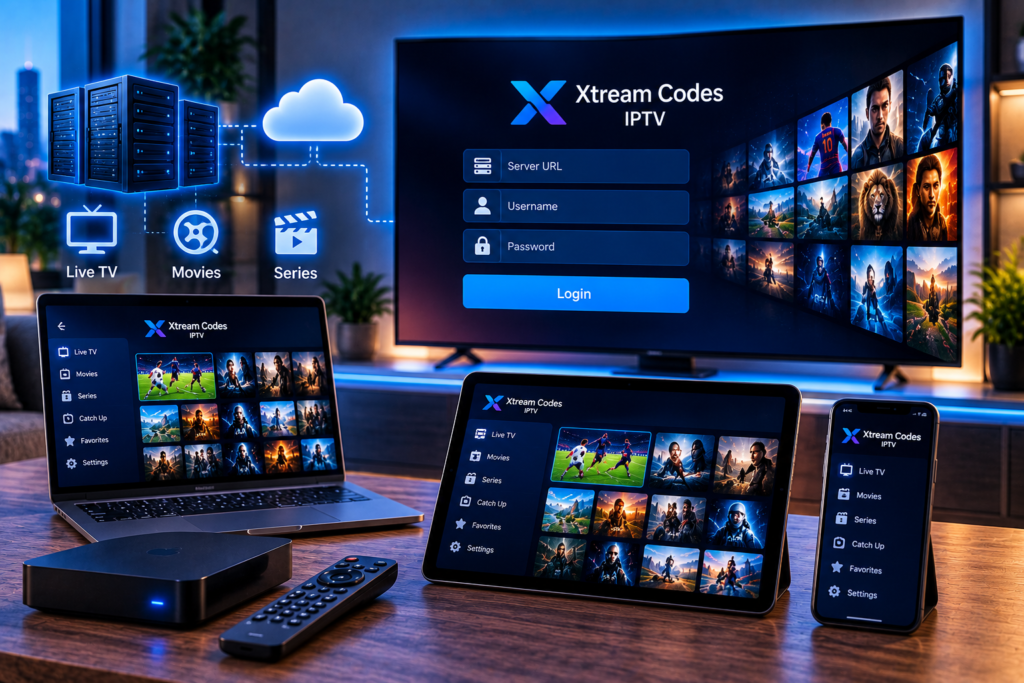
If you are setting up IPTV for the first time, you may come across Xtream Codes IPTV when your provider sends login information. Instead of giving you a long playlist file, the provider usually gives you three simple details: a server address, username, and password.
You enter those details into a compatible IPTV player. The application then connects to the provider’s server and loads the television channels, movies, series, program information, and other content included with your subscription.
For viewers in Sweden, this login method can make IPTV easier to manage across a Smart TV, Android TV device, smartphone, tablet, or computer. Understanding what happens behind the login screen also makes troubleshooting much simpler.
What Is Xtream Codes IPTV?
Xtream Codes IPTV is commonly used to describe an IPTV login method that allows a compatible player to communicate with an IPTV service through server credentials.
A typical login contains:
Server URL
Username
Password
The server address tells the application where the IPTV service is located. Your username and password identify your subscription and determine which content your account is allowed to access.
The important point is that Xtream Codes itself is not a television channel or streaming package. It is a method used by IPTV systems and applications to organize and retrieve content supplied through an IPTV service.
This distinction is useful because many beginners download an IPTV player and expect channels to appear automatically. Normally, the player is simply the interface. Your IPTV provider supplies the account and content.
How Does Xtream Codes IPTV Work?
The process is easier to understand when divided into four stages.
1. Your IPTV Provider Creates an Account
When an IPTV subscription is activated, the provider creates or assigns login credentials linked to the package.
Depending on the subscription, that account may contain live television channels, sports, movies, television series, catch up programming, or electronic program guide information.
2. You Enter the Credentials in an IPTV Player
Open a compatible player and choose its Xtream Codes or Xtream API login option.
You will normally see fields for the server address, username, and password. Some applications also ask you to create a profile name. That name is only used to help you identify the account inside the application.
3. The Player Contacts the IPTV Server
Once you sign in, the application sends a request to the server using your account information.
If the credentials are valid and the subscription is active, the server provides information associated with your account. The player can then arrange the available content into categories such as Live TV, Movies, Series, Favorites, and TV Guide.
4. You Select the Content You Want to Watch
When you select a channel or video, the player requests the relevant stream from the server and begins playback.
This is why the IPTV application and IPTV subscription are two separate parts of the experience. A well designed application can make navigation easier, but the availability and quality of streams still depend heavily on the IPTV service and internet connection.

What Information Do You Need to Use Xtream Codes?
Most users only need three pieces of information.
Server URL
The server URL is the address used by the application to reach your IPTV provider.
It may include a domain name and a port number. Enter it exactly as supplied. A missing character or incorrect port can prevent the application from connecting.
Username
Your username identifies the IPTV account.
It may look like a normal username or a randomly generated sequence of letters and numbers.
Password
The password authenticates the account.
Treat IPTV credentials like other private login details. Avoid posting screenshots containing your password, sharing credentials publicly, or entering them into unknown websites and applications.
If you are using Monster IPTV and need help configuring a player, the IPTV installation instructions provide setup guidance for supported devices and applications.
Xtream Codes IPTV vs M3U Playlists
Xtream Codes and M3U are two common ways of loading IPTV content into a player, but they work differently.
An M3U playlist is generally provided as a URL or file containing stream information. The player reads that playlist and displays the available channels.
Xtream Codes uses account credentials and communicates with the IPTV server through a structured login system.
For everyday users, Xtream login can feel more organized because compatible applications may automatically separate live channels, movies, series, categories, and EPG information.
M3U still has advantages. It works with many media players and can be useful when a device does not support an Xtream login.
Neither method automatically guarantees better streaming quality. Playback also depends on the service infrastructure, internet connection, application, device, and individual stream.
Which Devices Support Xtream Codes IPTV?
Xtream based logins are supported by many IPTV applications across common streaming devices.
You may be able to use them on:
Smart TVs
Android TV and Google TV devices
Amazon Fire TV devices
Android phones and tablets
iPhones and iPads
Windows computers
Mac computers
Dedicated IPTV boxes
Support depends on the application rather than simply the operating system. Always confirm that your selected IPTV player offers Xtream Codes API or Xtream login support.
For Android TV users, TiviMate is one popular player that supports this type of setup. Monster IPTV provides separate TiviMate installation instructions for users who want a guided configuration process.
What Can You Access Through an Xtream IPTV Login?
The exact content depends on the subscription provided to the account.
Live TV
Live channels are usually organized into categories, making it easier to navigate television from different countries or genres.
Movies and Series
Many compatible systems separate video-on-demand content from live channels. Movies may include posters, descriptions, genres, and other information when that data is supplied by the service.
Series can also be arranged by season and episode.
EPG
An electronic program guide, commonly called an EPG, can display current and upcoming television programming.
The guide information must be supplied correctly by the IPTV service for the player to display it.
Favorites and Categories
Most modern IPTV players allow users to save favorite channels or hide categories they do not regularly watch.
These features are controlled by the player and can make large channel libraries considerably easier to navigate.
Is Xtream Codes IPTV Legal?
The technology itself does not determine whether an IPTV service is lawful.
IPTV is simply a method for transmitting television and video through internet protocol networks. Legality depends on whether the service has permission or appropriate rights to distribute the content it provides.
The same principle applies to IPTV applications. A player can support Xtream credentials without supplying any television content itself. For example, current IPTV player listings on Google Play specifically distinguish the media player from the playlists or subscriptions users add to it.
When choosing a service, check the provider’s terms, content rights, privacy practices, and local regulations. Users comparing Nordic IPTV services may also encounter brands such as Viking IPTV, but credentials and compatibility should always be confirmed directly with the individual provider.
Why Is My Xtream Codes Login Not Working?
A failed login does not necessarily mean the IPTV application is broken.
Start with these checks.
Check the Server Address
Make sure there are no missing characters, unwanted spaces, or typing errors.
If your provider supplied a port number, include it exactly as provided.
Confirm the Username and Password
IPTV credentials can be case-sensitive. Copying and pasting them often reduces typing mistakes.
Check Your Subscription Status
An expired or inactive subscription may prevent the player from loading content even when the login details are correct.
Restart the Application
Close the IPTV player completely and reopen it. You can also restart your television, streaming box, or mobile device.
Test Your Internet Connection
Streaming requires a stable connection. Run a speed test and check whether other internet services are working normally.
Try Another Supported Player
Testing the same credentials in another reputable IPTV player can help determine whether the issue is related to the account or the application.
Never post your username, password, or complete server details publicly when requesting technical assistance.
Does Xtream Codes Improve Streaming Quality?
Xtream Codes primarily provides a structured way for an IPTV application to access and organize a service. It does not independently turn a poor stream into an HD, FHD, or 4K stream.
Picture quality depends on several factors, including the source stream supplied by the provider, server performance, available bandwidth, home network stability, device capabilities, and player configuration.
A wired Ethernet connection can often provide a more consistent connection for televisions and streaming boxes. If WiFi is necessary, a strong 5 GHz or modern WiFi connection close to the router can reduce interruptions caused by weak signal strength.
Frequently Asked Questions
Do I Need an M3U Link If I Have Xtream Codes?
Usually not. A compatible player can load the IPTV account directly from the server URL, username, and password. Some providers may offer both formats.
Can I Use the Same Xtream Codes Login on Multiple Devices?
That depends on your IPTV subscription. Some plans permit one simultaneous connection while others support several. Check your provider’s account rules before using the credentials on multiple devices at the same time.
Can Xtream Codes Be Used on a Smart TV?
Yes, provided you install a compatible IPTV application on the television. Support varies between Samsung, LG, Android TV, Google TV, and other Smart TV platforms.
Why Are Some Channels Missing?
Missing channels can result from subscription limitations, category settings, temporary server issues, provider changes, or application filters. Refreshing the account or playlist can sometimes restore recently updated categories.
Should I Share My Xtream Login With Someone Else?
It is better to keep the credentials private. Sharing them can expose your subscription and may also cause connection problems when the service limits simultaneous streams.
Xtream Codes IPTV makes the technical side of IPTV easier for many viewers because a server URL, username, and password can connect a compatible player directly to an organized television and video library. Once you understand how the login works, choosing an application and solving common setup problems becomes much simpler. If you want to explore IPTV packages designed for Swedish viewers and compatible devices, you can visit Monster IPTV to review the available service options.
