 Skip to main content
Best IPTV App for iOS in 2026: iPhone and iPad Guide
Best IPTV App for iOS in 2026: iPhone and iPad Guide
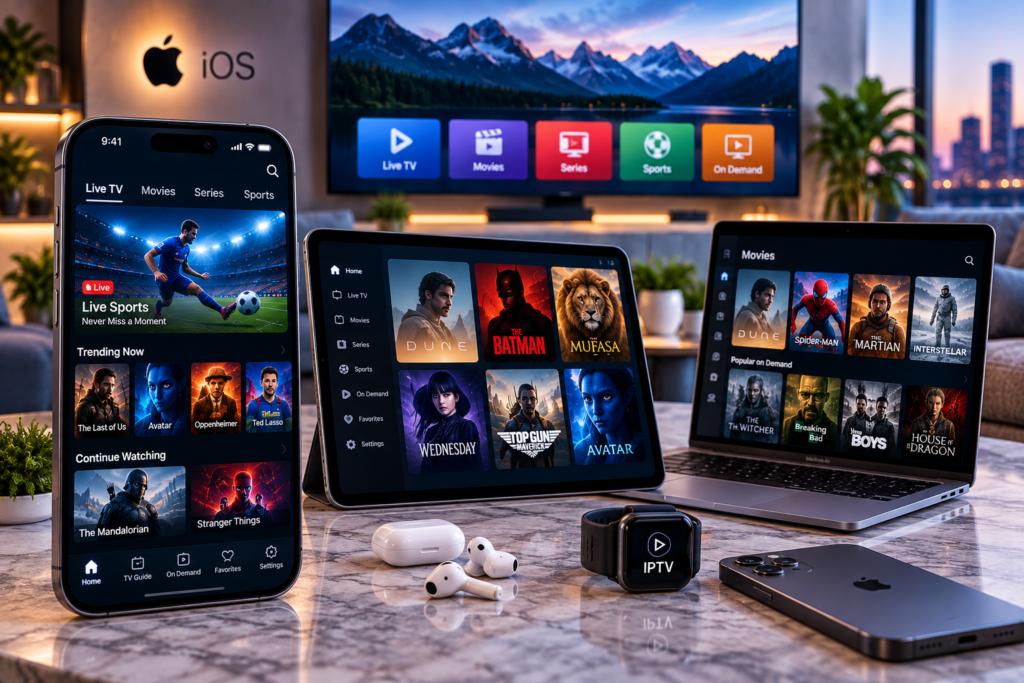
Finding the best iptv app ios users can depend on more than choosing the first player in the App Store. A good IPTV app should load channels quickly, organize live TV, movies, and series clearly, support your playlist format, provide a useful Electronic Program Guide, and work smoothly across iPhone and iPad.
Apple users also have features worth considering that do not matter as much on other platforms. AirPlay can move a stream from an iPhone to a compatible television. Picture in Picture lets you continue watching while using another app. iCloud synchronization can keep favourites and viewing information consistent across Apple devices.
For 2026, IPTVX and UHF are two of the strongest all around choices for iOS, while GSE Smart IPTV Pro and Smarters Player Lite remain useful alternatives for particular types of users.
Best IPTV Apps for iPhone and iPad in 2026
The right app depends on whether you prioritize design, playlist compatibility, live TV, VOD, EPG information, or integration across several Apple devices.
| IPTV App | Best For | Key Features |
|---|---|---|
| IPTVX | Overall Apple experience | M3U, Xtream API, EPG, AirPlay, PiP, iCloud |
| UHF | Clean and simple interface | M3U8, Xtream, EPG, VOD, Apple device support |
| GSE Smart IPTV Pro | Advanced playlist control | M3U, Xtream Codes, EPG, AirPlay, Chromecast |
| Smarters Player Lite | Familiar IPTV layout | M3U, playlists, live streams, VOD |
No app can improve a poor IPTV source completely. The player controls presentation and playback, while your provider determines the available streams, channels, server performance, and content library.
IPTVX: Best All Around IPTV App for iOS
IPTVX is particularly well suited to people who use several Apple devices.
It supports iPhone, iPad, and Apple TV and can synchronize information through iCloud. That is useful if you start watching something on an iPad and later move to another Apple device.
The app supports M3U, M3U8, and Xtream API connections, along with Plex and SMB sources. Its interface separates live television, movies, and series rather than displaying everything as one long playlist.
IPTVX Features That Matter
IPTVX includes an EPG grid, favourites, continue watching, multiple playlists, subtitles, audio track selection, parental controls, Picture in Picture, catch up support when supplied by the service, and AirPlay 2.
Search is another useful feature for large IPTV libraries. Instead of browsing hundreds of channels, users can search live television, programme guide information, movies, and series.
For people who want their IPTV player to feel closer to a polished streaming platform, IPTVX offers one of the more complete iOS experiences.
UHF: A Strong Alternative for iPhone and iPad
UHF has become another popular option among Apple users who want a clean interface without unnecessary complexity.
The app supports iPhone, iPad, and Apple TV and works with common IPTV sources such as M3U8 and Xtream based playlists. It can also organize live television, movies, and series inside one interface.
UHF is particularly appealing to viewers who value a modern layout and simple navigation.
Community feedback is naturally mixed, as it is for most IPTV players, but UHF is frequently mentioned by iPhone users looking for an alternative to more complicated applications.
GSE Smart IPTV Pro for Advanced Users
GSE Smart IPTV Pro takes a more technical approach.
It supports M3U playlists, Xtream Codes API connections, EPG data, AirPlay, Chromecast, subtitles, parental controls, and playlist management.
Its interface may feel less streamlined than IPTVX for a new user, but the additional configuration options can be useful if you manage several playlists or need more control over how streams are handled.
For Swedish viewers who use both live television and international content, the broad format support can also be helpful.
Smarters Player Lite for Familiar Navigation
Smarters Player Lite is worth considering if you prefer a straightforward IPTV style layout.
The application supports playlist based media and separates content into familiar categories. The interface is relatively easy to understand for users who have previously used IPTV players on Android or Smart TVs.
Its biggest advantage is simplicity. You do not need every customization option if your goal is simply to open your subscription, select a channel, and start watching.
What Features Should the Best IPTV App for iOS Have?
An attractive interface is useful, but several practical features matter more during everyday viewing.
M3U and Xtream Support
Your IPTV player must support the connection format supplied by your provider.
M3U usually comes as a playlist URL. Xtream style access generally uses a server address, username, and password.
Xtream based login can provide a more structured experience in compatible apps because live TV, movies, series, categories, and EPG information can be retrieved separately.
Before setting up your player, the IPTV installation instructions can help explain the general process for connecting a subscription to a compatible device.
Electronic Program Guide
An EPG shows what is currently playing and what comes next.
For live IPTV, this feature can make a major difference. Without a programme guide, large channel lists become difficult to navigate, especially when several channels have similar names.
A good iOS player should load guide data reliably and let you browse the schedule without leaving the channel section.
Picture in Picture
Picture in Picture is especially useful on an iPhone or iPad.
You can keep a stream playing in a smaller window while checking messages, browsing the web, or using another application.
For mobile viewers who watch sport or news while multitasking, this is more useful than it may initially appear.
AirPlay
AirPlay lets compatible Apple devices send video to an Apple TV or supported television.
This can turn an iPhone or iPad into a convenient IPTV controller when you do not want to install a separate player directly on the television.
However, AirPlay performance can vary depending on the stream format, subtitles, player, television, and network.
Favourites and Search
Large IPTV subscriptions may contain thousands of streams.
A favourites list lets you create a smaller group containing only the channels you actually use. Search makes it easier to locate a particular sports network, Swedish channel, film, or series.
These features save considerably more time than repeatedly scrolling through a complete channel list.
How to Set Up IPTV on iPhone or iPad
Most iOS IPTV players follow a similar setup process.
First, install your chosen app from the App Store. Open it and choose the playlist or account option that matches the information from your IPTV provider.
If you received an M3U link, select the M3U playlist option and paste the URL.
If your provider supplied Xtream credentials, enter the server address, username, and password in the appropriate fields.
Allow the app to load the available channels, movies, series, and EPG information. Large libraries may take longer during the first synchronization.
After loading the subscription, test several streams instead of judging the service from one channel.
Test the Channels You Actually Watch
A polished app is only useful if your preferred content works properly.
For Swedish users, test local television, Nordic channels, international content, news, sports, movies, and children’s programming according to your viewing habits.
Reviewing the Available IPTV channel selection beforehand can help you identify the categories you want to test on your iPhone or iPad.
Try HD and FHD streams as well as 4K content where your device, service, and connection support it.
IPTV App Versus IPTV Provider
One of the most common sources of confusion is treating the player and the IPTV provider as the same service.
They are separate.
IPTVX, UHF, GSE Smart IPTV Pro, and Smarters Player Lite are players. They organize and play content supplied through compatible sources.
Your IPTV provider controls the streams, account, available television channels, movies, series, and server infrastructure.
If every channel buffers in one app, test the same subscription in another player. If the same problems continue, the cause may be the service or network rather than the app.
When comparing a service such as Viking IPTV, using the same iPhone, connection, and player provides a more useful comparison because fewer variables change.
Why Does IPTV Buffer on iPhone?
Buffering does not automatically mean you chose the wrong application.
Your Wi Fi or mobile connection may be unstable. The IPTV server could also be busy, or the selected stream may require more bandwidth than your connection can consistently provide.
Start by testing another channel. Then compare Wi Fi with mobile data if your plan allows it.
Restarting the player, refreshing the playlist, and closing unnecessary background applications can also help.
If HD works smoothly but 4K struggles, available bandwidth or stream bitrate may be the limiting factor.
Which App Is Best for iPad?
An iPad gives IPTV applications more screen space, making programme guides, movie libraries, channel lists, and multitasking easier to use.
IPTVX is particularly attractive on iPad because its interface makes strong use of artwork, dedicated movie and series pages, EPG information, and Apple ecosystem features.
UHF is a good alternative for users who prefer a cleaner approach.
GSE Smart IPTV Pro may suit users who care more about technical playlist management than presentation.
The best choice still depends on your subscription format and the features you use regularly.
Free Versus Paid IPTV Apps on iOS
A free app can be enough for occasional viewing, but premium features may matter if IPTV is part of your daily routine.
Paid versions can remove advertising or watermarks and may unlock additional playlists, advanced EPG options, synchronization, customization, or other features.
Do not pay immediately simply because an app advertises more functions. Load your own compatible content first and test channel switching, EPG data, subtitles, AirPlay, and VOD navigation.
A simpler app that works consistently is more useful than an advanced player filled with features you never use.
Frequently Asked Questions
What Is the Best IPTV App for iPhone in 2026?
IPTVX is one of the strongest overall options for Apple users because it combines live TV, VOD, EPG, Picture in Picture, AirPlay, playlist management, and synchronization across compatible Apple devices. UHF is another strong option for users who prefer a clean interface.
Does IPTVX Include IPTV Channels?
No. IPTVX is a media player. Users must provide their own compatible content or IPTV subscription.
Can I Use IPTV on an iPad?
Yes. IPTVX, UHF, GSE Smart IPTV Pro, and Smarters Player Lite all have options for iPad users. The larger display can be particularly useful for EPG navigation and movie libraries.
Can I AirPlay IPTV From an iPhone?
Some iOS IPTV players support AirPlay. Actual performance depends on the app, stream format, subtitles, network, and receiving device.
Do IPTV Apps Work With M3U Playlists?
Many do. IPTVX, UHF, and GSE Smart IPTV Pro support common playlist formats, although exact compatibility should always be checked before choosing a player.
Is an IPTV App the Same as an IPTV Subscription?
No. The app is the media player. The subscription or content source supplies the streams and channels.
Choosing the best IPTV app for iOS in 2026 comes down to how you actually use your iPhone or iPad. IPTVX offers a polished Apple focused experience, UHF provides a clean alternative, and GSE Smart IPTV Pro gives advanced users more playlist control. Test your preferred player with your own connection, channels, EPG, subtitles, and AirPlay setup before settling on it. If you want to combine your iPhone or iPad with live TV, sports, movies, series, HD, FHD, and 4K viewing options for Swedish users, visit Monster IPTV and choose a setup that suits your Apple devices.
