 Skip to main content
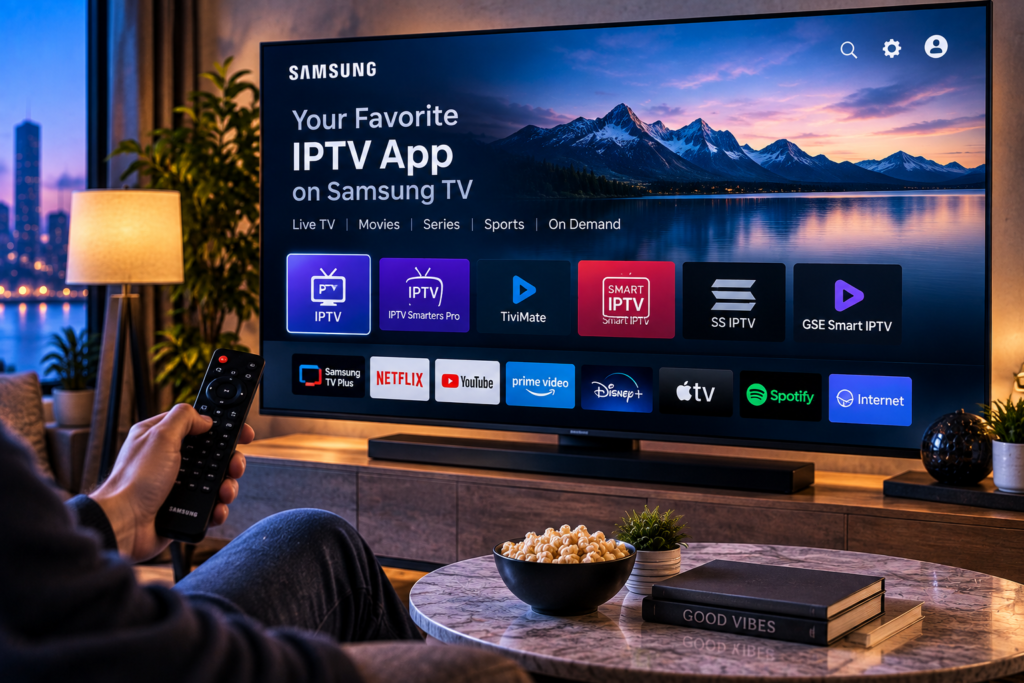
Finding the best IPTV app Samsung TV users can rely on in 2026 is not as simple as downloading the most popular IPTV player. Samsung Smart TVs use the Tizen operating system, so applications designed only for Android TV cannot normally be installed directly on the television.
A good Samsung IPTV app should load channels quickly, work smoothly with the remote control, organize live TV and video content clearly, support an Electronic Program Guide, and handle your IPTV playlist without unnecessary complications.
For most Samsung users, SmartOne IPTV and IBO Player are practical options worth checking first. Other players can also work well, but availability can vary according to TV model, software version, country, and Samsung App Store region. Current Samsung listings also show newer IPTV players continuing to appear for Tizen TVs.
What Makes a Good IPTV App for Samsung TV?
An IPTV player connects your television to a compatible IPTV subscription or playlist. The application itself usually does not provide channels.
This distinction is important. Your IPTV provider controls the streams and content, while the app controls how those streams are displayed, organized, searched, and played on your Samsung TV.
The best player should therefore make everyday television easier rather than simply offering a long feature list.
Look at navigation speed, playlist support, EPG performance, favourites, search tools, video on demand organization, remote control usability, and general stability.
Best IPTV Apps for Samsung Smart TV in 2026
Samsung Tizen users have several choices, although the exact applications available on your television can differ by region and model.
| IPTV App | Best For | Useful Features |
|---|---|---|
| SmartOne IPTV | Easy Smart TV navigation | M3U, Xtream Codes, EPG, favourites, multiple accounts |
| IBO Player | Simple modern interface | Playlist management, live TV, movies, series, EPG |
| IPTV Smarters Pro | Familiar IPTV layout | Live TV, VOD, series, account based login |
| iXPlay | Current Samsung Tizen option | M3U, M3U8, EPG, favourites, multiple playlists |
| Smart IPTV | Straightforward playlist playback | M3U playlists, channel groups, television focused interface |
There is no universal winner because app availability and performance depend on your Samsung model, playlist format, IPTV provider, and home network.
SmartOne IPTV
SmartOne IPTV is one of the stronger choices for Samsung Tizen televisions because it is designed specifically with Smart TV use in mind.
It supports Samsung Tizen models and offers features such as multiple accounts, favourites, EPG information, catch up support where supplied by the provider, parental controls, category management, and fast channel navigation.
SmartOne also separates the player from the television service. You add your own compatible IPTV subscription rather than receiving channels automatically with the app.
For people who mainly watch IPTV directly through their Samsung remote, its television focused interface can be easier to manage than applications originally designed around phones.
IBO Player
IBO Player is another popular choice for Samsung Smart TVs.
Its appeal comes from a relatively clean interface and straightforward organization of live channels, films, and series. Users generally connect a compatible playlist or IPTV account and then manage the content through the player.
It can be a good option for households that want a simple television interface without spending much time changing advanced settings.
As with any Samsung application, check whether it appears in the App Store on your specific television before planning your setup around it.
IPTV Smarters Pro
IPTV Smarters is widely recognized because versions of the player are available across several device platforms.
On Samsung TVs, however, experiences can differ. Discussions from Samsung users show that some people use Smarters successfully while others report problems with features such as favourites, TV guide presentation, or specific content that behaves differently on Android devices.
That makes testing important. An app that works perfectly on an Android phone may not provide exactly the same experience on Tizen.

iXPlay
iXPlay is another IPTV player currently listed by Samsung for compatible Tizen Smart TVs.
Samsung’s listing describes support for M3U and M3U8 playlists, XMLTV EPG information, favourites, recent channels, multiple playlists, and remote control navigation. It does not include television channels itself.
For users who cannot find some of the better-known players in their regional store, newer Tizen applications such as this can provide another option.
Samsung Tizen Is Different From Android TV
One of the most common IPTV mistakes is assuming that every Smart TV runs Android.
Samsung uses Tizen on its modern Smart TVs. That means an Android application file cannot simply be installed in the same way it would be on an Android TV box or phone.
This matters particularly for TiviMate. It is widely discussed among IPTV users, but it is primarily an Android TV player and is not a normal native Tizen application.
Reddit discussions regularly show Samsung owners being advised to add an Android or Google TV streaming device when they specifically want Android based IPTV applications.
If you want to stay entirely within the Samsung interface, choose a player available for Tizen instead.
How to Install an IPTV App on Samsung Smart TV
Installation is usually straightforward when the application is available through Samsung Apps.
- Connect the Samsung television to the internet and open Apps from the Smart Hub.
- Search for the IPTV player you want to use.
- Install and open the application.
- Locate the playlist, account, or device information requested by the app.
- Add the M3U URL or compatible account credentials supplied by your IPTV provider.
- Allow the channel list and EPG to load before judging the app’s performance.
Some players use a website based activation system. In that case, the television displays a device ID, MAC address, or activation code. You then enter that information through the player’s management portal using a phone or computer.
For a more detailed television setup process, see the Smart IPTV installation instructions before configuring your playlist.
M3U or Xtream Codes: Which Is Better on Samsung TV?
The two connection methods are common, but they work differently.
An M3U playlist is usually supplied as a URL containing information about the available streams. Many Smart TV IPTV applications can load the URL and divide channels into categories based on the playlist information.
Xtream Codes style access normally uses a server address, username, and password. Compatible players can use those details to retrieve channel categories, movies, series, and sometimes EPG information automatically.
For Samsung TV users, the easier method is often whichever one the selected application and IPTV provider support properly. Typing a very long M3U URL with a television remote can be inconvenient, which is why web based playlist upload systems are useful.
Why EPG Support Matters
A good IPTV app should do more than open a stream.
The Electronic Program Guide displays current and upcoming programmes, making IPTV feel much closer to a traditional television experience.
Without a working EPG, you may know which channel you are watching but not what programme is currently playing or what begins next.
For Swedish viewers who use large channel lists, accurate guide information also makes navigation considerably faster.
Before choosing an app, check whether it supports XMLTV or the guide information provided through your IPTV account.
Test Your Favourite Swedish Channels
Do not evaluate an IPTV app by opening only one channel.
Test Swedish television, Nordic content, sports, movies, news, and any international channels your household regularly watches. You can review the available IPTV channel selection beforehand so you know which categories you want to check during setup.
Open several channels and keep them running for a reasonable amount of time. Test normal viewing as well as faster content such as football, hockey, or motorsport.
This helps separate a smooth menu interface from actual playback performance.
App Problems Versus IPTV Provider Problems
An IPTV player and IPTV service perform different jobs, so troubleshooting should separate them.
If the app opens normally but every channel buffers, the problem may involve the provider, connection, network, or playlist rather than the player.
If the same IPTV subscription works properly on another device but behaves badly on the Samsung app, the application or television compatibility becomes a stronger possibility.
Community discussions often show users confusing these two issues, particularly when a stream works on Android but not through the same type of app on a Samsung television.
When comparing another service such as Viking IPTV, use the same Samsung TV, app, and internet connection where possible. That gives you a fairer comparison of the underlying service.
How to Reduce Buffering on Samsung IPTV Apps
Start by checking your internet connection rather than immediately changing applications.
If the television supports Ethernet and your router is nearby, a wired connection can provide more consistent performance than congested Wi Fi.
Also restart the television and router, close unnecessary applications, update the Samsung software, refresh the IPTV playlist, and test more than one channel.
HD, FHD, and 4K streams place different demands on your connection. A 4K stream requires considerably more consistent bandwidth than standard HD content.
The quality of the IPTV server matters as well. Even the best Samsung player cannot completely compensate for an unstable content source.
Should You Use a Streaming Stick Instead?
Sometimes the easiest solution is not another Samsung app.
If your television’s regional App Store does not offer the player you want, an external Android TV, Google TV, or Fire TV device can expand your software choices.
This can be particularly useful if you strongly prefer an Android only player such as TiviMate.
However, an extra device is not necessary for everyone. If SmartOne IPTV, IBO Player, iXPlay, or another suitable Tizen player works smoothly on your Samsung television, staying with the built in system keeps the setup simpler.
Frequently Asked Questions
What Is the Best IPTV App for Samsung Smart TV in 2026?
SmartOne IPTV and IBO Player are practical choices for many Samsung Tizen users. Other options include IPTV Smarters and newer Samsung Store players such as iXPlay. Availability depends on country, TV model, and Samsung software.
Can I Install TiviMate Directly on Samsung TV?
TiviMate is primarily designed for Android TV and does not normally run as a native Samsung Tizen application. Users who specifically want TiviMate commonly connect an Android-based streaming device.
Do Samsung IPTV Apps Include Channels?
Usually not. Most IPTV applications are media players. You need a compatible playlist or IPTV subscription from a content provider.
Can Samsung Smart TV Play 4K IPTV?
A compatible Samsung 4K television can display 4K streams when the IPTV source, player, codec, television, and internet connection all support the stream properly.
Why Can’t I Find an IPTV App on My Samsung TV?
Application availability can vary according to your Samsung model, Tizen version, country, Smart Hub region, and current store listings. An app available on one Samsung TV may therefore be missing from another.
Choosing the best IPTV app for a Samsung TV comes down to compatibility, easy remote navigation, EPG support, playlist management, and reliable playback on your particular television. Test the player with the channels you actually watch rather than choosing it by name alone. If you want to pair your Samsung Smart TV with live television, sports, movies, series, HD, FHD, and 4K streaming options for Swedish viewers, visit Monster IPTV and choose a setup that fits your Samsung TV and viewing habits.
