 Skip to main content
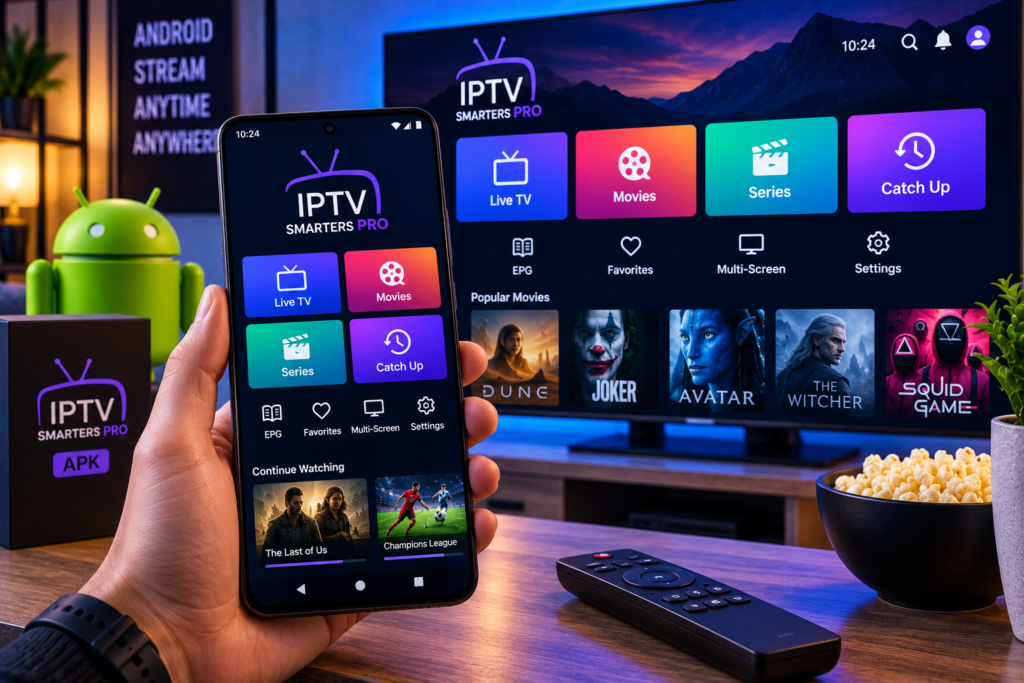
The IPTV Smarters Pro APK remains a popular option for Android users who want to watch live television, movies, series, and catch-up content through their own IPTV subscription. The player is designed to organise IPTV credentials into a familiar interface rather than forcing users to work directly with raw playlist links.
Installing an APK is different from downloading an application from Google Play. Instead of letting the Play Store handle installation automatically, you download an Android application package and install it manually. This process is commonly called sideloading.
That extra flexibility can be useful on Android TV boxes, tablets, phones, and devices where the exact player you need is not available through the normal app store. However, it also means you should pay closer attention to the file source, version, developer, package name, and permissions before installation.
This guide explains how IPTV Smarters Pro APK works, how to install it safely, how to connect your IPTV subscription, and what to check when something goes wrong.
What Is IPTV Smarters Pro APK?
IPTV Smarters Pro is an IPTV media player designed to connect to IPTV services through information supplied by the provider.
The APK is simply the Android installation file for the application.
The player itself does not normally provide premium television channels or an IPTV subscription. Instead, users enter their own authorised playlist or account details.
Common IPTV Smarters Pro features have included support for:
M3U playlists
Xtream API connections
Live television
Movies
Series
Catch-up television
Electronic programme guides
Parental controls
Internal playback
External media players
Subtitles
Multiple language options
The exact feature set can vary by version, so avoid assuming that an older APK contains everything available in later releases.
IPTV Smarters Pro APK Versus Google Play Apps
This is one of the most important points for beginners.
Searching Google Play for “IPTV Smarters Pro” can produce several similarly named applications. Similar names do not necessarily mean the apps come from the same original developer.
An APK archive may also contain several historical versions and processor variants.
Before installing anything, check:
The developer name
The Android package name
The version number
The upload date
The minimum Android version
The processor architecture
The application permissions
The signing information where available
Do not select an app purely because its icon or title looks familiar.
Is IPTV Smarters Pro APK Safe to Install?
An APK format is not dangerous by itself. It is simply a standard Android application package.
The risk depends on where the file comes from and whether it has been modified.
A sensible approach is to download applications only from a source you trust and verify that the package information matches the expected application. Avoid random download pages, shortened links, unofficial modified editions, or files promising premium features that the normal application does not provide.
Historical IPTV Smarters Pro packages available through established APK archives include cryptographic signatures and file hashes that can help verify whether a particular file has been changed.
Users should also keep Android security features enabled and avoid granting permissions that appear unrelated to the player’s normal purpose.
Before You Install IPTV Smarters Pro
You need two things before setup.
First, you need a compatible Android device. This may include an Android phone, tablet, Android TV box, or compatible television.
Second, you need IPTV credentials from your service provider.
These may come as an M3U URL or as a username, password, and server address for an Xtream-compatible login.
If you are new to IPTV configuration, the Monster IPTV installation instructions explain how common IPTV players and devices connect to a subscription.
Keep your IPTV login details private. Anyone with working account information may be able to access your subscription.
How to Download IPTV Smarters Pro APK
Step 1: Check Your Android Version
Open your Android device settings and locate the device information section.
Confirm which Android version is installed before choosing an APK.
Older Smarters packages may support older Android releases, but using a very old APK on a modern device can create compatibility, security, or stability issues.
Step 2: Check Your Device Architecture
APK archives sometimes list separate files for architectures such as ARM, ARM64, x86, or x86 64.
Most modern Android phones and streaming devices use ARM-based processors, but you should confirm compatibility rather than guessing.
A universal package can simplify installation when one is available.
Step 3: Choose a Trusted Source
Use an established application source that displays version history, package details, signing information, and file checksums where possible.
Do not download modified applications simply because they promise removed advertising or unlocked features.

Step 4: Download the APK
Download the compatible package directly to the Android device.
If you downloaded the file on a computer, transfer it to the Android device using a method you trust.
How to Install IPTV Smarters Pro APK on Android
Android blocks manual installation from unknown sources by default on many devices.
The exact menu wording varies by Android version and manufacturer.
Step 1: Open the Downloaded APK
Locate the APK in your Files or Downloads application and open it.
Android may tell you that the current application is not allowed to install unknown apps.
Step 2: Allow Installation for That Source
Open the relevant settings prompt.
Allow your browser or file manager to install applications from that source.
Avoid enabling broad permissions for applications that do not need them.
Step 3: Install the Application
Return to the APK and select Install.
Android will unpack the application and add it to your device if the package is compatible.
Step 4: Disable the Permission Again
After installation, you can return to Android settings and disable permission to install unknown applications from that browser or file manager.
This reduces the chance of accidentally installing another APK later.
How to Install IPTV Smarters Pro APK on Android TV
The process is slightly different on a television because downloading files with a remote control can be less convenient.
Step 1: Enable Installation Permission
Open Android TV settings.
Find the security or special application access section and locate the option that controls installing unknown applications.
Allow installation only for the application you plan to use to open the APK.
Step 2: Transfer or Download the APK
You can download the package using a compatible browser or transfer it from another device.
Avoid typing APK addresses from unknown websites directly into downloader applications.
Step 3: Open and Install
Open the downloaded package and follow the Android installation prompt.
Once complete, IPTV Smarters Pro should appear in your application library.
Step 4: Restore Your Security Setting
Disable the unknown application installation permission if you no longer need it.
How to Set Up IPTV Smarters Pro
Installing the player is only half of the process.
You still need to connect it to your IPTV subscription.
Using Xtream Compatible Login Details
Many users receive:
A username
A password
A server URL
Open IPTV Smarters Pro and select the option for logging in with Xtream compatible credentials.
Enter a profile name so you can recognise the account.
Type the server address, username, and password exactly as supplied.
Select Add User or the equivalent option.
The application should begin loading your live channels and other available sections.
Using an M3U Playlist
If your provider gives you an M3U URL, choose the playlist loading option.
Enter a name for the playlist and paste the M3U address.
The player will then read the playlist and organise the available streams.
Loading Channels, Movies, and Series
After the first login, the application may need time to download categories, programme information, movie details, and series data.
The loading time depends on the size of your subscription and internet connection.
Once complete, you may see separate sections for live television, movies, and series.
A well-organised IPTV service should make categories easy to browse instead of presenting one enormous list.
Swedish viewers may want to review the available Monster IPTV channel selection when deciding which groups and favourites to prioritise inside the player.
How to Set Up the EPG
An electronic programme guide displays television schedules.
If EPG information is included with your IPTV account, IPTV Smarters Pro may load it automatically depending on the connection method and provider configuration.
Allow the first EPG update to complete before deciding that programme information is missing.
If channel times appear incorrect, check your device timezone and EPG related settings.
For viewers in Sweden, making sure the device uses the correct local timezone can prevent programme schedules from appearing at the wrong hour.
How to Improve Playback Quality
The application alone does not determine video quality.
Smooth HD, FHD, and 4K streaming also depends on your IPTV source, internet connection, router, Android hardware, video codec, and display.
If playback is unstable, begin with an ordinary HD channel before testing 4K.
A lower resolution stream that plays consistently is more useful for troubleshooting than immediately testing the most demanding video feed.
If your player offers hardware decoding, compare it with the available alternative when you experience stuttering or excessive processor usage.
What to Do If IPTV Smarters Pro Buffers
Buffering has several possible causes.
First, test another channel. If only one stream has a problem, the source may be responsible.
Next, restart the application and Android device.
If the problem continues, test your network connection. Ethernet often provides more consistent performance for a fixed Android TV box than weak WiFi.
You can also compare the same IPTV account in another compatible player. If every player buffers at the same time, changing applications is unlikely to solve the underlying issue.
IPTV Smarters Pro Login Not Working
Login errors are commonly caused by incorrect credentials.
Check the username, password, and server URL carefully.
Do not add spaces before or after the login information.
Also confirm that the subscription is active and that your provider has not changed the server address.
If an M3U link fails, make sure the complete URL was copied rather than only part of it.
App Not Installed Error
Android may display an “App not installed” message for several reasons.
The APK may not support your Android version or processor architecture.
A different version of the same package may already be installed with another cryptographic signature.
There may also be insufficient storage space.
If another Smarters package is already installed, do not immediately uninstall it if you have important local settings. First record your playlist or login information so you can restore the account if necessary.
Should You Use an Older IPTV Smarters Pro APK?
Older versions can sometimes work well on older hardware, but they should not automatically be your first choice.
The competitor APK page for version 2.2.2.5 comes from 2021. That is useful for users who specifically need an older compatible build, but it should not be interpreted as proof that it is the newest version available.
On modern Android devices, check whether a newer supported release is available before deliberately installing a historical package.
This is particularly important when an application handles private IPTV credentials.
APK Versus Play Store: Which Is Better?
For most Android users, a verified Play Store installation is simpler because Android handles downloading and updates.
An APK becomes useful when the required application is unavailable through the store for your device or region, or when you specifically need a compatible historical version.
However, the manual route requires more care.
The best rule is simple: know exactly which application you are installing, where the package came from, and why you need the APK rather than the normal store version.
Does IPTV Smarters Pro Include IPTV Channels?
No. IPTV Smarters Pro is a media player.
It needs television content from an authorised IPTV service or another source you are permitted to use.
This is an important distinction because websites sometimes advertise an IPTV player and subscription as though they are the same product.
Users researching Nordic IPTV providers may also encounter JA IPTV while comparing compatible services. Whatever service is selected, check that its connection method works with the version of IPTV Smarters Pro you intend to install.
Frequently Asked Questions
Is IPTV Smarters Pro APK Free?
Some versions of IPTV Smarters Pro can be downloaded without an upfront application charge, although features and advertising can differ between releases. The application itself does not provide a free television subscription.
Can I Install IPTV Smarters Pro APK on Android TV?
Yes, compatible APK versions can run on supported Android TV hardware. Check the minimum Android version and processor architecture before installation.
Can IPTV Smarters Pro Play 4K?
The player can handle compatible high-resolution streams, but successful 4K playback also depends on the stream source, Android hardware, codec support, internet connection, and television.
Why Does My IPTV Smarters Pro APK Not Install?
Common reasons include an incompatible Android version, wrong processor architecture, insufficient storage, blocked installation permissions, or a signature conflict with an existing version.
Is IPTV Smarters Pro an IPTV Provider?
No. It is a media player. You need your own IPTV subscription or authorised playlist.
Do I Need an M3U URL?
Not necessarily. Depending on the application version and IPTV provider, you may be able to use an M3U playlist or Xtream-compatible credentials.
IPTV Smarters Pro APK Final Setup Advice
The IPTV Smarters Pro APK can provide a straightforward way to watch IPTV on compatible Android phones, tablets, televisions, and streaming boxes, but installation should begin with verifying the package rather than downloading the first file you find. Check the version, developer information, architecture, permissions, and source before sideloading, then enter only credentials from an IPTV service you trust. If you want live Swedish television, sports, movies, series, HD, FHD, and 4K viewing through compatible IPTV apps, visit Monster IPTV to choose a subscription and complete your setup.
