 Skip to main content
What Is Catch-Up TV on IPTV and How Does It Work
What Is Catch-Up TV on IPTV and How Does It Work
Missing a live TV program no longer has to mean missing it completely. One of the most useful features available with modern IPTV services is catch-up TV, which allows viewers to go back and watch selected programs after their original broadcast.
Instead of arranging your day around a television schedule, iptv catch up gives you more flexibility over when you watch. If you missed the evening news, a television show, or another supported broadcast, you may be able to open your IPTV program guide, move back to the earlier time slot, and start watching.
Although the experience can feel similar to on-demand streaming, catch-up TV works differently from a traditional VOD library. Understanding that difference, along with how EPG data and IPTV apps work together, makes the feature much easier to use.
What Is IPTV Catch Up?
IPTV catch up is a replay feature that lets viewers watch previously broadcast television programs for a limited period after they have aired.
The simplest way to think about it is as a temporary archive of selected live TV broadcasts.
With regular live IPTV, you watch whatever a channel is broadcasting at that moment. With catch-up enabled, supported past programs remain available for a certain period. You can navigate backward through the electronic program guide, select an eligible broadcast, and play it from the beginning.
The available replay period varies. Some channels may keep previous broadcasts for only a short time, while others can offer several days of history. One competitor guide notes that catch-up windows commonly range from around 24 hours to seven days, depending on the channel and service.
That means catch-up should not be treated as permanent storage. Once the provider’s retention period ends, an older program may disappear.
How Does Catch-Up TV Work on IPTV?
Behind the simple interface is a combination of server-side storage, channel information, and an IPTV application’s electronic program guide.
When catch-up is enabled for a channel, previous broadcasts can remain available on the IPTV system for a defined period. The EPG provides the schedule information that allows your app to associate those archived streams with specific programs and broadcast times.
From the viewer’s perspective, the process is much simpler.
1. Open the IPTV App
Start the IPTV application on your Smart TV, streaming box, mobile device, tablet, or computer.
Your app needs to support catch-up functionality. Not every IPTV player handles replay in exactly the same way, so the menus and icons can vary between applications.
If you are setting up IPTV for the first time, Monster IPTV’s IPTV installation instructions explain setup options for different devices and applications.
2. Open the EPG or TV Guide
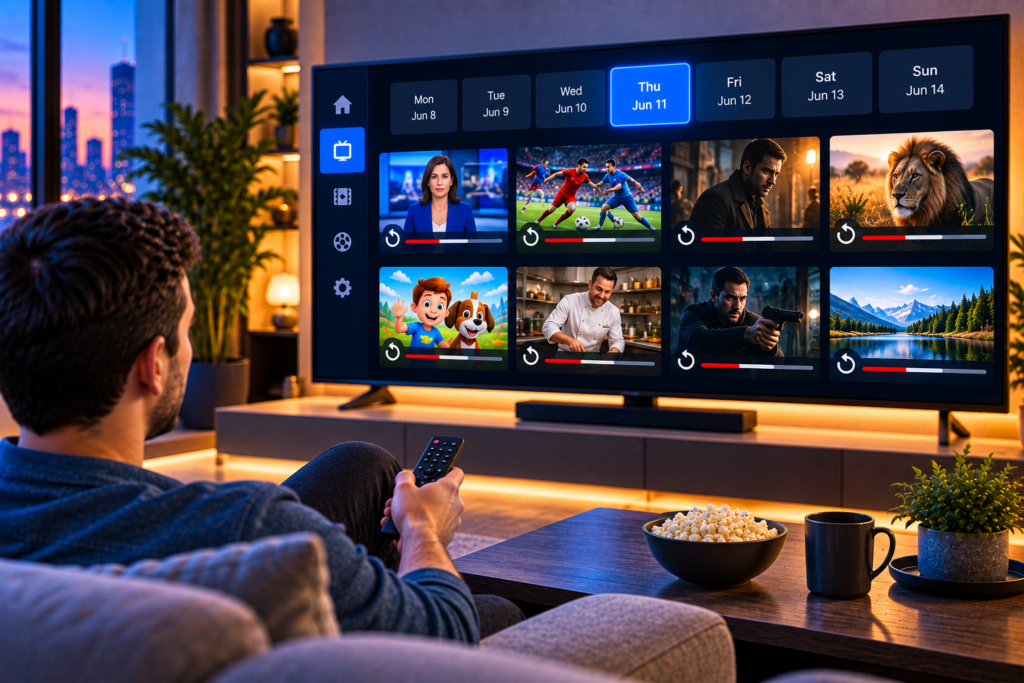
Navigate to the electronic program guide, normally displayed as a timeline containing channels, program names, and broadcast times.
The EPG is important because catch-up is usually connected to previous entries in this guide.
3. Scroll Back to an Earlier Program
Instead of moving forward to see upcoming programs, scroll backward through the timeline.
Depending on the application, catch-up-enabled programs may display a replay symbol, clock icon, or another visual indicator.
4. Select and Play the Program
Choose the previous broadcast you want to watch. If that program remains available in the catch-up archive, the IPTV app should provide an option to play it.
You can then watch the program similarly to other streamed content.
IPTV Catch Up vs VOD: What Is the Difference?
Catch-up TV and video on demand can appear similar because both allow you to watch something outside its original live broadcast time. However, they serve different purposes.
Catch-up TV is connected to live television. It gives temporary access to programs that previously aired on supported channels.
Video on demand (VOD) is a separate content library. Movies and series are organized as individual titles that users can select whenever they want, subject to availability.
For example, imagine a documentary aired on a live channel yesterday evening. If the channel supports catch-up, you might find yesterday’s broadcast by scrolling backward through the EPG.
If the same documentary exists in a VOD library, you would instead search the movies or series section and play it as an independent title.
The distinction matters because a program being available live does not automatically mean it will appear in VOD, and a VOD title does not necessarily originate from a recent channel broadcast.
What Do You Need to Use IPTV Catch Up?
Several components must work together for replay to function correctly.
First, the IPTV service and individual channel need to provide catch-up availability. A compatible IPTV application is also required. Finally, accurate EPG information makes it possible to identify previous programs and select them from the schedule.
Not every live channel necessarily supports the feature. This is why you might see catch-up available for one channel but not another within the same IPTV application.
For Swedish viewers comparing available programming, checking the Monster IPTV channel information can help you understand the broader range of television content offered through the service.
Device compatibility matters as well. IPTV can be viewed across Smart TVs, streaming devices, smartphones, tablets, and computers, but the exact catch-up interface depends largely on the application being used.
How Long Does IPTV Catch Up Keep Programs?
There is no universal retention period for catch-up TV.
The available window depends on the IPTV system, channel, content, and other service-specific factors. A program might remain accessible for one day, several days, or up to approximately a week on some services.
For example, uPlay’s documentation describes catch-up periods ranging from 24 hours to seven days and notes that availability differs between channels.
Once the retention window expires, the program is normally removed from the catch-up archive automatically.
This is an important difference between catch-up and recording. Catch-up is temporary and controlled by the service, whereas a recording feature may save content locally when supported by your device and application.
Which IPTV Apps Support Catch-Up TV?
Catch-up support depends on the IPTV player.
TiviMate is one well-known example of an IPTV player with catch-up functionality. Other IPTV applications may also support the feature, although their interfaces and playback controls differ.
Some players make catch-up especially easy to identify by placing a clock or replay symbol next to supported channels or programs. Others require users to open the EPG and navigate backward manually.
When evaluating an IPTV player, look beyond appearance. Check whether it supports EPG integration, catch-up playback, playlist formats used by your service, and the devices you plan to use.
Other IPTV providers serving the Nordic market, such as Nordic IPTV King, also illustrate how IPTV services are increasingly designed around flexible viewing rather than a strictly fixed broadcast schedule.
Why Is Catch-Up TV Useful?
The main advantage is flexibility.
Traditional television requires you to be available when a program is broadcast. Catch-up separates your viewing time from the original broadcast time, provided the program remains inside the available replay window.
This can be particularly useful for people with work schedules, family commitments, travel, or different viewing routines.
Watch Programs You Missed
The most obvious benefit is being able to return to a broadcast you could not watch live.
Instead of searching elsewhere for the program, you can check the channel’s earlier schedule.
No Need to Schedule Every Recording
Traditional recording requires preparation. You generally need to decide beforehand what you want to save.
Catch-up can remove that requirement for supported broadcasts because the program may already be temporarily available after it airs.
Use the TV Schedule More Flexibly
The EPG becomes more than a guide to what is happening now and next. With catch-up, it can also act as a navigable history of recently broadcast content.
This creates a viewing experience that sits somewhere between conventional live television and on-demand streaming.
Why Is IPTV Catch Up Not Working?
If a previous program will not play, it does not automatically mean there is a problem with your entire IPTV subscription.
There are several possible causes.
The Channel Does Not Support Catch-Up
Catch-up may only be enabled on selected channels. If you cannot move backward or select an earlier program, check whether the feature is available for that particular channel.
The Program Has Expired
Catch-up content is temporary. If the program aired outside the provider’s retention period, it may no longer be available.
Your IPTV App Does Not Fully Support It
An IPTV service may provide catch-up data while the player you are using does not display or handle it correctly.
Trying a compatible application can help determine whether the issue is related to the player.
EPG Data Is Missing or Outdated
Because catch-up commonly relies on the electronic program guide, missing EPG information can make previous programs difficult or impossible to select.
Refresh the EPG or playlist and check again.
Your Connection Is Unstable
Catch-up is still streamed over the internet. An unstable connection can therefore cause buffering, slow loading, or interrupted playback just as it can with live IPTV.
Catch-Up TV vs Recording
Catch-up and recording solve a similar problem in different ways.
Catch-up normally requires no advance planning. If a supported program has already aired and remains within the replay window, you can simply select it.
Recording generally requires the viewer to save or schedule content. Depending on the IPTV player, recordings may be stored on the device, USB storage, network storage, or another configured location.
Recording can therefore be useful when you want to keep something beyond the temporary catch-up period. Catch-up is more convenient when you simply want to watch something you recently missed.
Frequently Asked Questions About IPTV Catch Up
Can I Watch Any Previous IPTV Program?
No. Availability depends on whether the specific channel and program support catch-up and whether the content is still within the available replay period.
Do I Need to Record Programs in Advance?
Usually not when using catch-up. The purpose of the feature is to make eligible previous broadcasts available without requiring you to schedule a recording beforehand.
Does Catch-Up Work on Smart TVs?
It can. The important factor is whether the IPTV application installed on the Smart TV supports catch-up and works correctly with the service.
Can I Pause or Rewind Catch-Up TV?
Many compatible IPTV apps offer standard playback controls for catch-up streams, though available controls vary by player and channel.
Is Catch-Up the Same as Restart TV?
Not exactly. Restart or “watch from beginning” typically lets you restart a program that is currently airing. Catch-up usually refers to accessing programs after their original broadcast has finished.
Is IPTV Catch Up Worth Using?
For viewers who cannot always follow fixed television schedules, catch-up is one of IPTV’s most practical features. It combines the familiar structure of live television with some of the flexibility people expect from modern streaming.
The key is understanding its limits. Not every channel supports replay, programs are only retained temporarily, and your IPTV app needs to handle the feature correctly. Once those pieces are in place, however, finding a missed broadcast can be as simple as opening the EPG and scrolling backward.
If flexible viewing is important to you and you want live channels, sports, movies, series, and compatible IPTV features across different devices, you can explore Monster IPTV and choose a setup that fits how and when you prefer to watch television.
