 Skip to main content
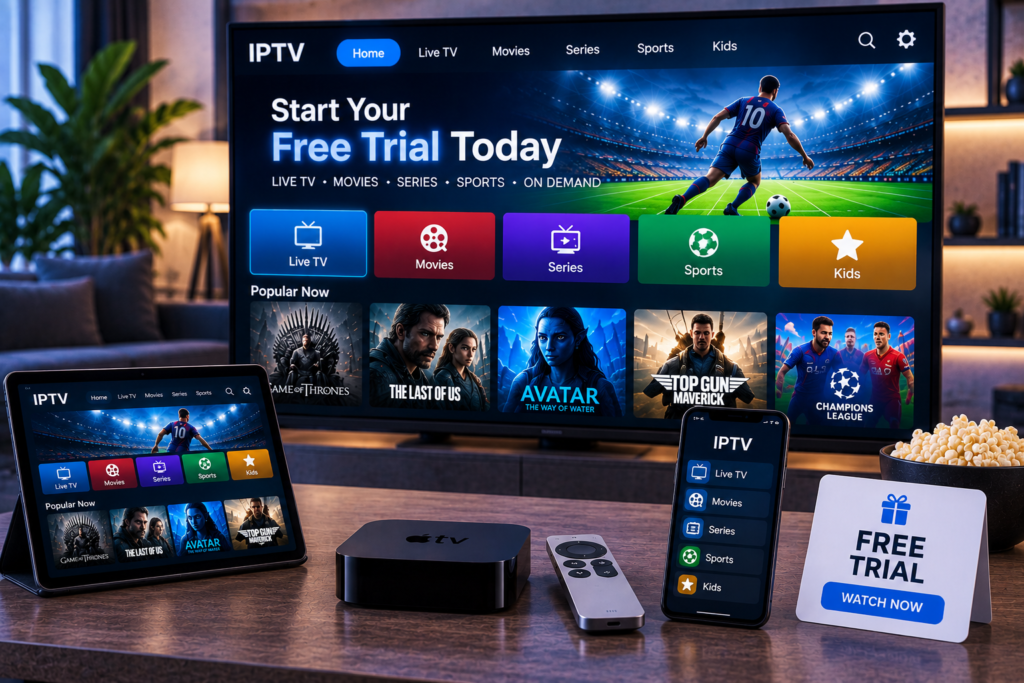
Choosing an IPTV service from a sales page alone is difficult. Channel counts, picture quality claims, device support, and promises of stable streaming can look similar across many providers. An IPTV trial gives you a better way to decide because you can test the service on your own internet connection and your own devices.
For viewers in Sweden, a useful trial should answer practical questions before a longer subscription begins. Do Swedish and international channels load quickly? Does live sport stay stable in the evening? Is the EPG accurate? Does 4K play smoothly? A focused test can reveal far more than a feature list.
What Is an IPTV Trial?
An IPTV trial is temporary access to an IPTV service before you purchase a longer plan. Depending on the provider, it may last for several hours, one day, or a few days. It can include live TV, sports, movies, series, video on demand, EPG data, and different picture quality options.
The purpose is simple: test the actual viewing experience before paying. A good trial should let you evaluate stream stability, channel availability, picture quality, app compatibility, setup, and support.
Why Testing Before You Buy Matters
IPTV performance depends on more than the provider. Your broadband connection, home network, streaming device, IPTV player, and time of day can all affect playback. A service that works well for one household may behave differently on another setup.
Testing first reduces guesswork. You can see how quickly channels open, whether the stream buffers, and whether the service feels easy enough for everyday use.
What Should You Test During an IPTV Trial?
Check the Channels You Actually Watch
Do not spend the entire trial scrolling through thousands of channels. Start with the content that matters to you. Test Swedish channels, Nordic content, international stations, news, entertainment, kids programming, and sports networks you expect to watch regularly.
Open channels from several categories. A large channel list means little if your preferred channels are unreliable.
Test HD, FHD, and 4K Quality
Picture quality should be tested on the screen you normally use. A stream that looks fine on a phone may reveal blur, compression, or motion problems on a large Smart TV.
Compare HD, FHD, and 4K streams when available. Pay attention to detail, fast movement, and audio synchronization.
Test During Busy Evening Hours
One of the most important parts of an IPTV trial is testing at the time you normally watch. A stream can perform well in the morning and struggle during a major football match or busy evening period.
Keep a channel running for 20 to 30 minutes. Look for repeated buffering, quality drops, audio delays, freezing, or disconnects.
Review the EPG and Channel Organization
A useful Electronic Program Guide makes IPTV easier to use every day. Check whether programme names, times, and upcoming shows appear correctly.
Also look at channel grouping. Clear categories for Sweden, sports, movies, entertainment, news, and children make navigation faster, especially on a television remote.
Test Your Device and IPTV App
Compatibility should be proven during the trial, not assumed. Test the service on the main device you plan to use, whether that is a Smart TV, Android TV box, Fire TV device, phone, tablet, or PC.
The IPTV app matters too. Some players handle EPG data, playlists, subtitles, and remote navigation better than others. Monster IPTV provides device setup instructions for supported devices.
If you compare providers, use the same device, app, and connection for each test. A provider such as Viking IPTV can be assessed with the same checklist, which makes the comparison more meaningful.

Check Your Internet Connection Before Judging the Trial
A weak home network can make a good stream look unreliable. Before blaming the IPTV service, run an internet speed test and make sure your connection is stable.
As a practical starting point, around 10 Mbps can be enough for many HD streams, while 4K usually needs roughly 25 Mbps or more. Stability matters as much as headline speed.
When possible, test with Ethernet as well as Wi Fi. A wired connection can help show whether buffering comes from the IPTV stream or from wireless interference inside your home.
How to Run a Fair IPTV Trial
Use Your Normal Viewing Setup
Test on the television, app, router, and connection you expect to use after subscribing. A test on a different setup tells you less about your real experience.
Watch More Than One Type of Content
Try live TV, sport, a movie, a series, and video on demand if available. This shows whether performance is consistent across the service.
Test More Than Once
A five-minute test is not enough. Check the service at different times, including the evening. If the trial is short, plan what you want to test before activation.
Check Support With a Real Question
Ask one genuine setup or account question. Note whether the answer is clear, useful, and timely. Helpful support matters if you later change devices or have trouble with an app.
Red Flags to Notice Before Paying
A trial should increase confidence, not create pressure. Be cautious if payment terms are unclear, activation instructions are confusing, or support cannot answer basic setup questions.
Repeated buffering on a stable connection, broken EPG data, app errors, or channels that fail during busy periods deserve attention. Repeated problems during a short trial are useful evidence.
It is also sensible to confirm what you are buying. IPTV technology is simply a way of delivering television over internet protocol, but a provider should be transparent about its service, terms, and content rights. Do not choose a provider based only on an unusually large channel count.
IPTV Trial Checklist for Swedish Viewers
Before your trial ends, make sure you can answer the key questions. Do your preferred Swedish and international channels work? Is live sport stable? Does HD or 4K look good on your main screen? Is the EPG useful? Does your preferred app work properly? Can you stream without constant buffering during evening hours? Was support helpful?
If most answers are yes, you have useful evidence that the service fits your setup. If several answers are no, a longer subscription is unlikely to fix the underlying issues.
Frequently Asked Questions
How Long Should an IPTV Trial Last?
A useful trial needs enough time to test normal viewing and at least one busy period. Even 24 hours can be useful if you plan carefully, while a longer trial gives you more chances to compare performance.
Should I Test IPTV on Wi Fi or Ethernet?
Ideally, test both. Ethernet helps reveal service performance with a stable local connection, while Wi Fi shows how the service behaves in your everyday home setup.
What Is the Most Important Thing to Test?
Stream stability on the channels you actually watch matters more than the total number of channels advertised. Test your preferred content during peak hours and keep streams running long enough to spot recurring issues.
A careful IPTV trial can save you from choosing a service that looks impressive on paper but does not suit your home, devices, or viewing habits. If you want to explore an IPTV option built around Swedish viewers, live channels, sports, movies, series, and multi-device streaming, visit Monster IPTV and review the available service before deciding what fits you best.
